Introduction
This guide will show how to replace a battery for a Dell XPS 16 9640 laptop computer. This repair can help if your computer is not turning on or has a reduced battery life.
This requires steady hands to avoid damaging any important components.
Before you begin the battery replacement, unplug and power off your laptop. For your safety, discharge the battery below 25% before disassembling your device. To discharge the battery, hold the power button down for one minute. This reduces the risk of fire if the battery is accidentally damaged during the repair. If your battery is swollen, take appropriate precautions.
What you need
-
-
-
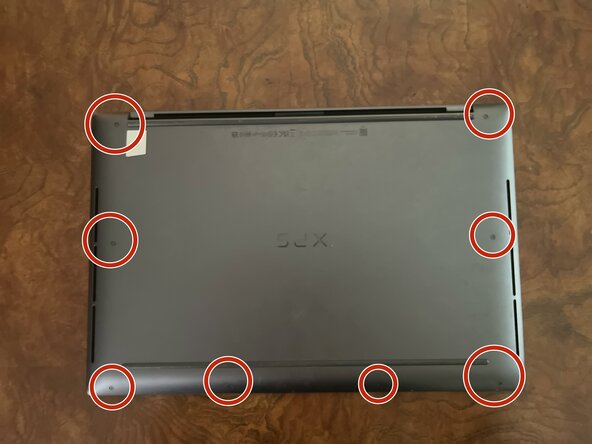
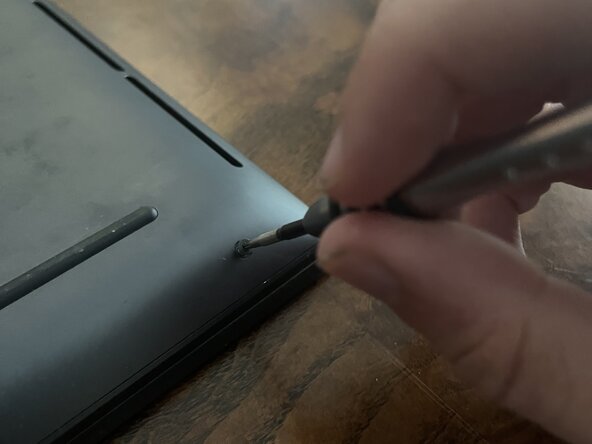
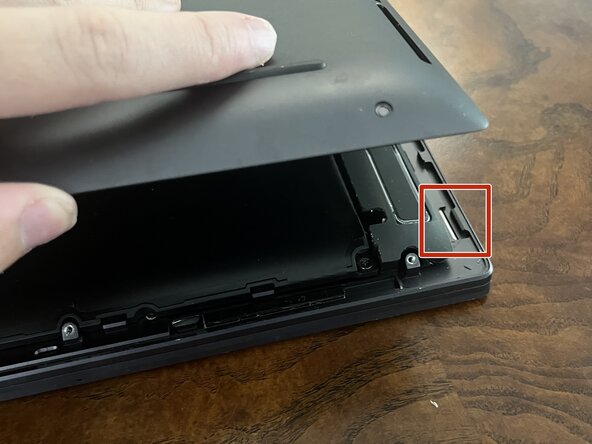
Pop open the back cover.
-
The cover is attached to the computer via clips around the perimeter.
-
Lift the lid up and off with your fingers.
-
If it is stuck, use a plastic opening tool to gently open it by wedging the tool under the cover and pushing down until the clip comes undone.
-
-
-
-
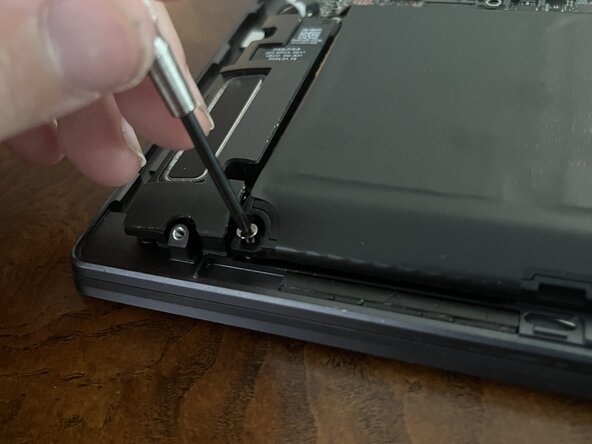
Use the Phillips #00 screwdriver to remove the six screws surrounding the battery.
-
-
-
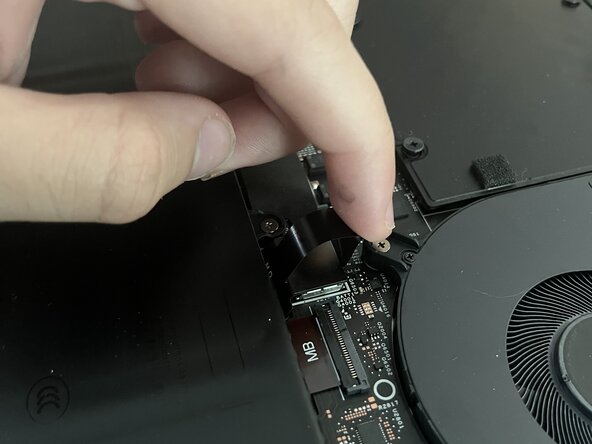
Remove the battery by unfastening the clip where it is plugged into the computer.
-
Use the loop on the clip to lift the battery cable from the connection point in the computer. You can now gently pick up the battery.
-
 Ask FixBot




To reassemble your device, follow these instructions in reverse order.
For optimal performance, calibrate your newly installed battery after completing this guide.
Take your e-waste to an R2 or e-Stewards certified recycler.

Team

Austin Community College, Team 28-10, Kapoor Summer 2025 Member of Austin Community College, Team 28-10, Kapoor Summer 2025
AUSTINCC-KAPOOR-SU25S28G10
1 Member
12 Guides authored
