Free Shipping on Domestic Orders $75+

Dell XPS 13 L321X Fan Replacement

What you need

    1. Dell XPS 13 L321X Fan Replacement, Fan: step 1, image 1 of 2 Dell XPS 13 L321X Fan Replacement, Fan: step 1, image 2 of 2
      • Remove ten 3mm screws from the back cover with a T5 screwdriver.

      Ask FixBot

      Add Comment

    2. Dell XPS 13 L321X Fan Replacement: step 2, image 1 of 1
      • Remove the ribbons from both sides with a plastic iFixit opening tool.

      Ask FixBot

      Add Comment

    3. Dell XPS 13 L321X Fan Replacement: step 3, image 1 of 1
      • Use a PH1 screwdriver to remove the two 3mm screws that secure the fan.

      Ask FixBot

      Add Comment

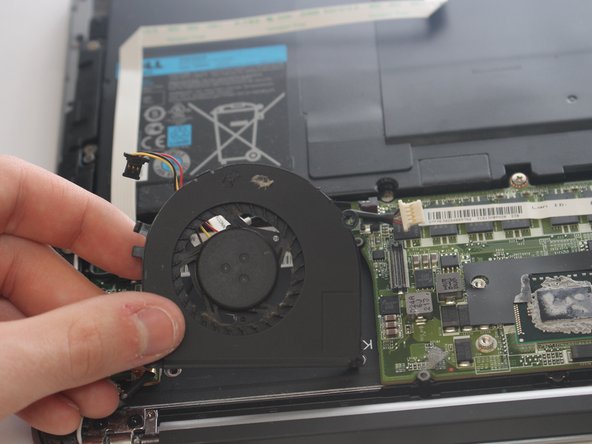
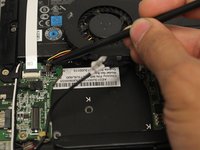
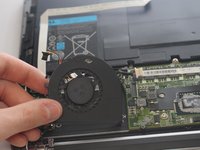
    4. Dell XPS 13 L321X Fan Replacement: step 4, image 1 of 2 Dell XPS 13 L321X Fan Replacement: step 4, image 2 of 2
      • Use a plastic iFixit opening tool to remove the wire connected to the fan.

      • Lift the fan up to remove.

      Ask FixBot

      Add Comment

Finish Line

Cancel: I did not complete this guide.

Ahmad EL Herbawi

Member since: 03/01/17

499 Reputation

3 Guides authored

Team

USF Tampa, Team S6-G3, Lacy Spring 2017 Member of USF Tampa, Team S6-G3, Lacy Spring 2017

USFT-LACY-S17S6G3

4 Members

59 Guides authored

0 Guide Comments

Add Comment

View Statistics:

Past 24 Hours: 0

Past 7 Days: 4

Past 30 Days: 23

All Time: 1,512