
Dell XPS 13 L321X Battery Replacement

Ahmad EL Herbawi and 5 other contributors
Last updated on Mar 12, 2024
Views: 3.2K
View statistics:
- Past 24 Hours:
- 4
- Past 7 Days:
- 24
- Past 30 Days:
- 100
- All Time:
- 3,184
Comments: 0
No one has left comments on this guide. Will you be first?
Go to guide commentsCompleted: 6 7
6 people have marked this guide "completed." Will you be next?
7 people have marked this guide "completed." Including you — great job!
Favorites: 4 5
4 people have favorited (and subscribed to) this guide. Will you be next?
5 people have favorited (and subscribed to) this guide — including you!
Introduction
Go to step 1 ↓Battery not lasting long or completely dead? Replace it (only screwdrivers required).
What you need
Tools


-
-
-
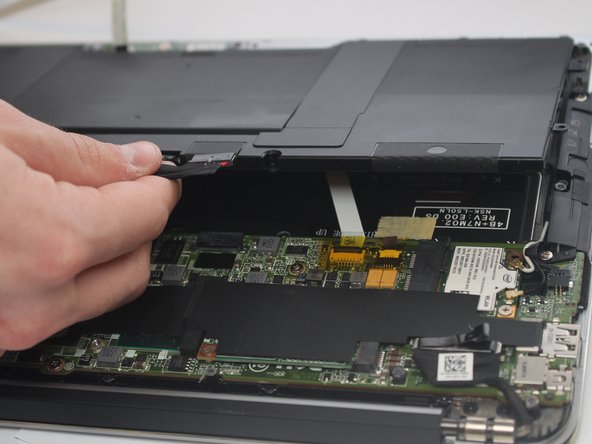
Disconnect the ribbon cable with a plastic iFixit opening tool by lifting up the black clip and pulling the white ribbon off.
-
Pull aside the ribbon cable.
-
-
-
Insert a plastic iFixit opening tool in between the port and the wires to remove the battery cable.
-
-
-
-
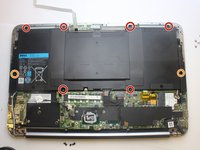
Take out 8 silver screws that are holding the battery with a PH00 head screwdriver.
-
Six 3mm screws.
-
Two 5mm screws.
-
Lift the battery out.
-


 Ask FixBot


Cancel: I did not complete this guide.
6 other people completed this guide.

Team

USF Tampa, Team S6-G3, Lacy Spring 2017 Member of USF Tampa, Team S6-G3, Lacy Spring 2017
USFT-LACY-S17S6G3
4 Members
60 Guides authored
