
Dell Vostro V13 SIM Card Replacement

Amy Ledermann and 2 other contributors
Last updated on Jul 1, 2019
Views: 575
View statistics:
- Past 24 Hours:
- 2
- Past 7 Days:
- 16
- Past 30 Days:
- 60
- All Time:
- 575
Comments: 2
2 comments on steps.
Completed: 0 1
No one has marked this guide "completed." Will you be the first?
1 person has marked this guide "completed." It's you — great job!
Favorites: 0 1
No one has favorited (and subscribed to) this guide. Will you be the first?
1 person has favorited (and subscribed to) this guide — and that's you!
Introduction
Go to step 1 ↓If your laptop is giving you an error that your SIM card is not detected, and you are unable to resolve the issue, it may be damaged and need replacing. If you follow this guide, it will detail how to replace the SIM card in order to get your laptop working again properly. Before you begin this guide, make sure your laptop is powered off, unplugged, and you have backed up the hard drive in order to prevent injury as well as data loss.
What you need
Tools


-
-
-
Flip the laptop over so the vents are facing you.
-
Remove the six 5.0 mm Phillips #1 screws using the magnetic driver.
-
Remove the two 5.0 mm Phillips #1 screws on the back side of the laptop.
 Ask FixBot
-
-
-
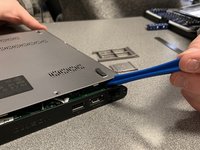
Slide the plastic opening tool around the perimeter of the laptop until the cover pops off.
-
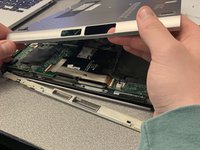
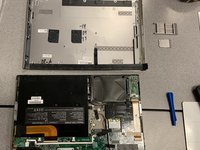
Pull the back cover off.
-
-
-
-
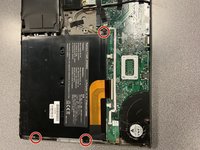
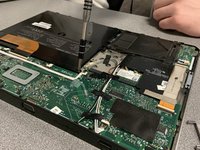
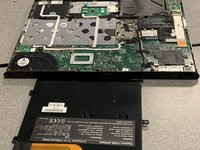
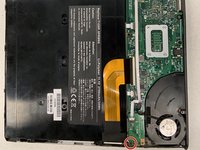
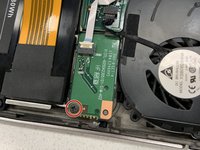
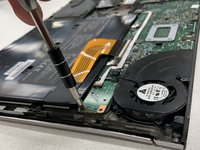
Remove the three black 3.9 mm Phillips #1 screws holding the battery in place.
-
-
-
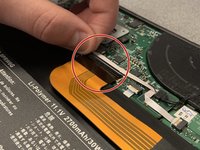
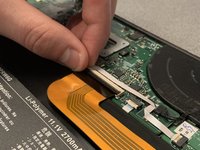
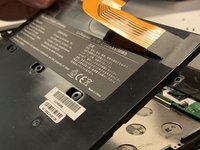
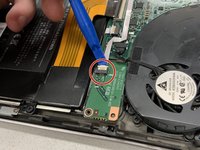
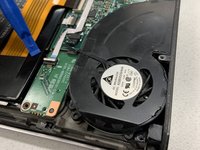
Flip up the clip of the ribbon connector.
-
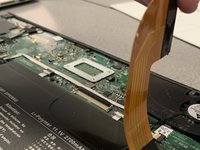
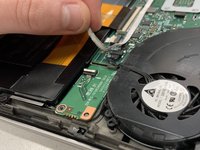
Pull the strip out to disconnect the battery.
-
-
-














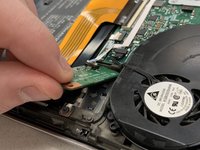
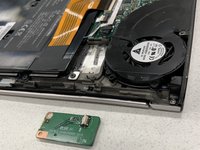
To reassemble your device, follow these instructions in reverse order.

Team

University of Alabama, Team S2-G1, Bedsole Spring 2019 Member of University of Alabama, Team S2-G1, Bedsole Spring 2019
UA-BEDSOLE-S19S2G1
4 Members
72 Guides authored
