
Dell Vostro 5510 Wireless Card Replacement

Ky Vang and one other contributor
Last updated on Jun 12, 2023
Views: 390
View statistics:
- Past 24 Hours:
- 1
- Past 7 Days:
- 22
- Past 30 Days:
- 71
- All Time:
- 390
Comments: 0
No one has left comments on this guide. Will you be first?
Go to guide commentsCompleted: 1 2
1 person has marked this guide "completed." Will you be next?
2 people have marked this guide "completed." Including you — great job!
Favorites: 0 1
No one has favorited (and subscribed to) this guide. Will you be the first?
1 person has favorited (and subscribed to) this guide — and that's you!
Introduction
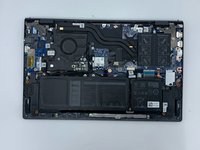
Go to step 1 ↓Once you have removed the back cover and gain access to the internal components of the Dell Vostro 15 5510, once of the components you will be able to replace is the fan. To complete this guide, you will need a Phillips #0 screwdriver head and a plastic opening tool. You will not need to do any difficult steps, but take care to disconnect the antenna cables carefully.
What you need
Tools


-
-
-
Remove the remaining (M2x4mm) screws with the screwdriver.
-
Loosen the two captive (M2x7.5mm) corner screws with the screwdriver.
-
-
-
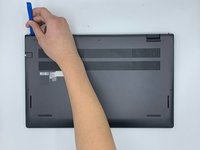
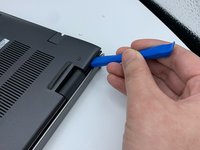
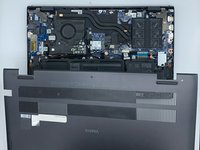
Pry open the top left corner of the cover with the opening tool.
-
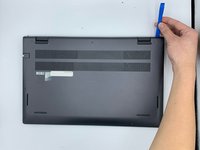
Pry open the top right corner of the cover with the opening tool.
-
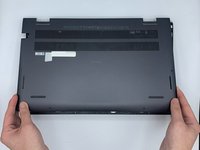
Pry the rest of the cover with the opening tool, working in a clockwise motion until it is completely loosened.
-
-
-
-
-
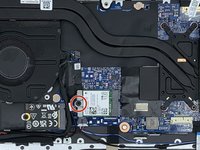
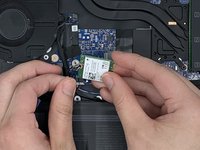
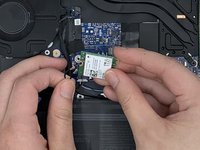
Remove the screw (M2x3mm) from the wireless card with the screwdriver.
-
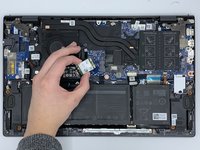
Lift the card without removing it completely.
-

 Ask FixBot








To reassemble your device, follow these instructions in reverse order.
Cancel: I did not complete this guide.
One other person completed this guide.

Team

University of North Texas, Team 3-5, Saru Jimmy Spring 2023 Member of University of North Texas, Team 3-5, Saru Jimmy Spring 2023
UNT-SARU JIMMY-S23S3G5
4 Members
72 Guides authored
