
Dell Vostro 5510 Touchpad Replacement

Emanuel and one other contributor
Last updated on Jun 11, 2024
Views: 607
View statistics:
- Past 24 Hours:
- 1
- Past 7 Days:
- 18
- Past 30 Days:
- 88
- All Time:
- 607
Comments: 0
No one has left comments on this guide. Will you be first?
Go to guide commentsCompleted: 0 1
No one has marked this guide "completed." Will you be the first?
1 person has marked this guide "completed." It's you — great job!
Favorites: 0 1
No one has favorited (and subscribed to) this guide. Will you be the first?
1 person has favorited (and subscribed to) this guide — and that's you!
Introduction
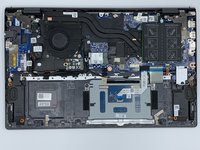
Go to step 1 ↓This guide will show you how to replace the touchpad in the Dell Vostro 5510. The touchpad is responsible for moving the mouse and interaction with the screen. Common symptoms of a broken touchpad are inconsistent or erratic responses, no response at all, and not being able to interact with the mouse. Make sure the battery is completely disconnected before starting on the touchpad.
What you need
Tools


-
-
-
Remove the remaining (M2x4mm) screws with the screwdriver.
-
Loosen the two captive (M2x7.5mm) corner screws with the screwdriver.
-
-
-
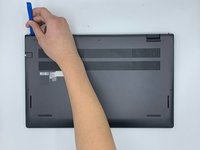
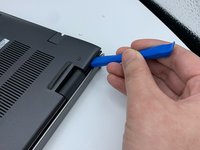
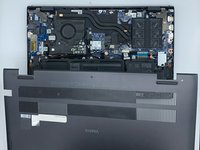
Pry open the top left corner of the cover with the opening tool.
-
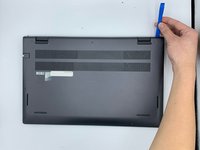
Pry open the top right corner of the cover with the opening tool.
-
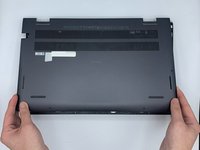
Pry the rest of the cover with the opening tool, working in a clockwise motion until it is completely loosened.
-
-
-
-
-
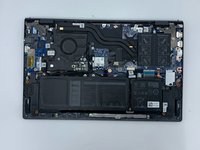
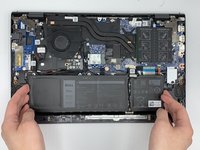
Unscrew the corner and top middle screws (M2x3mm) from the battery with the screwdriver.
-
-
-
-
-
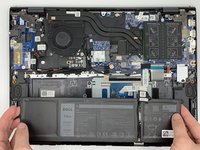
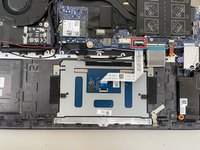
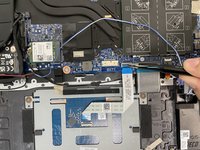
Disconnect the touchpad from the motherboard using a pair of tweezers.
-
-
-
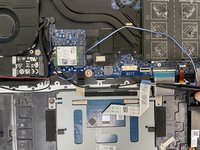
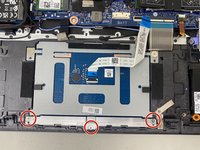
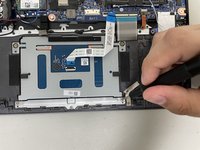
Remove the three 2.2mm screws holding the guard bar in place with the Phillips #0 screwdriver.
-
-
-
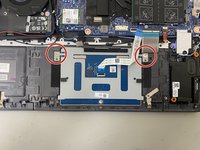
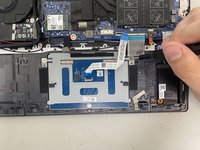
Unscrew the two 7 mm base head screws from the touchpad with the Phillips #0 screwdriver.
-
-
-
Remove the touchpad from the computer by lifting the side closest to the edge and pulling out.
-
-

 Ask FixBot













To reassemble your device, follow these instructions in reverse order.

Team

University of North Texas, Team 5-6, Coppersmith Spring 2024 Member of University of North Texas, Team 5-6, Coppersmith Spring 2024
UNT-COPPERSMITH-S24S5G6
4 Members
48 Guides authored
