
Dell Vostro 5510 SSD Card Replacement

Alexandra Moon and 2 other contributors
Last updated on Jun 12, 2023
Views: 660
View statistics:
- Past 24 Hours:
- 3
- Past 7 Days:
- 19
- Past 30 Days:
- 74
- All Time:
- 660
Comments: 0
No one has left comments on this guide. Will you be first?
Go to guide commentsCompleted: 0 1
No one has marked this guide "completed." Will you be the first?
1 person has marked this guide "completed." It's you — great job!
Favorites: 0 1
No one has favorited (and subscribed to) this guide. Will you be the first?
1 person has favorited (and subscribed to) this guide — and that's you!
Introduction
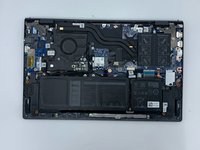
Go to step 1 ↓Use this guide to remove/replace your SSD card from your computer.
Before removing the SSD, read through your computer's user manual to familiarize yourself with the safety guidelines. This is to protect your computer from potential damage and ensures your personal safety.
What you need
Tools


-
-
-
Remove the remaining (M2x4mm) screws with the screwdriver.
-
Loosen the two captive (M2x7.5mm) corner screws with the screwdriver.
-
-
-
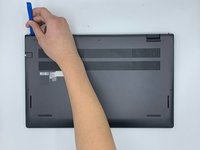
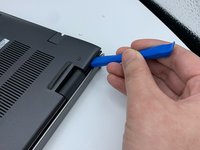
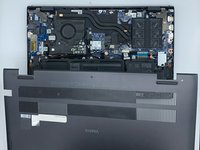
Pry open the top left corner of the cover with the opening tool.
-
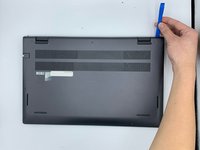
Pry open the top right corner of the cover with the opening tool.
-
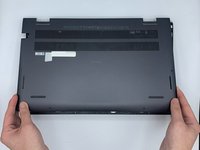
Pry the rest of the cover with the opening tool, working in a clockwise motion until it is completely loosened.
-
-

 Ask FixBot






To reassemble your device, follow these instructions in reverse order.

Team

University of North Texas, Team 3-5, Saru Jimmy Spring 2023 Member of University of North Texas, Team 3-5, Saru Jimmy Spring 2023
UNT-SARU JIMMY-S23S3G5
4 Members
72 Guides authored
