Introduction
This guide will show you how to replace the Wi-Fi Card on a Dell Vostro 3510 computer.
The Wi-Fi Card is the part of your computer that allows it to connect to wireless networks.
You may need to replace the Wi-Fi card if it is damaged or has failed, if you want to upgrade for faster speed or better range, or if you have a compatibility issue.
Note: You don’t need to remove the battery to complete this repair, but be sure to disconnect the battery connector from the motherboard.
Before you begin, power off the laptop and disconnect it from the charging adapter and any peripherals.
What you need
-
-
Tool used on this step:Magnetic Project Mat$19.95
-
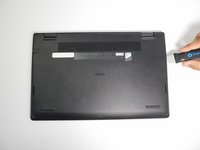
Use a Phillips #0 screwdriver to remove the screws highlighted with red circles.
-
Loosen the two 1 mm captive screws (orange circles in the image) on the back corners of the bottom cover.
-
-
-
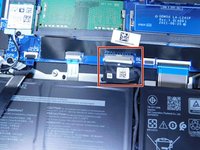
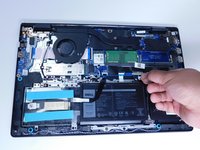
Remove the battery cable from the motherboard by lightly pulling on the black tape attached to the ribbon cable.
-
-
-
-
-
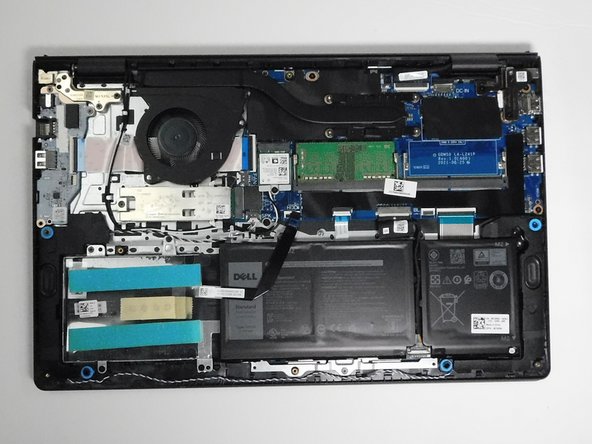
The Wi-Fi Card is located to the left of the RAM and to the right of the CPU Fan.
-
-
-
Use a Phillips #000 screwdriver to remove the single 3 mm screw securing the Wi-Fi card to the board.
-
Remove the silver bracket.
-
-
-
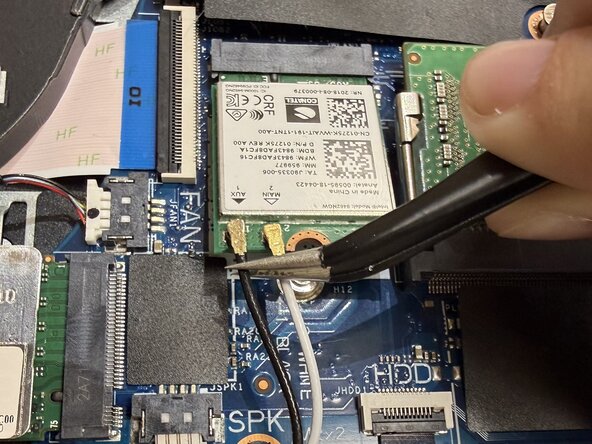
Slide a thin, ESD-safe pry tool or angled tweezers under the metal neck of the connector (as close to the head as possible) and lift straight up from the board.
-
-


 Ask FixBot








To reassemble your device, follow these instructions in reverse order. Take your e-waste to an R2 or e-Stewards certified recycler.

Team

Austin Community College, Team 1-2, Tijerina Fall 2025 Member of Austin Community College, Team 1-2, Tijerina Fall 2025
AUSTINCC-TIJERINA-F25S1G2
3 Members
36 Guides authored
