
Dell Vostro 3510 SSD Replacement

Deyanira and 3 other contributors
Last updated on Dec 17, 2025
Views: 403
View statistics:
- Past 24 Hours:
- 5
- Past 7 Days:
- 25
- Past 30 Days:
- 102
- All Time:
- 403
Comments: 0
No one has left comments on this guide. Will you be first?
Go to guide commentsCompleted: 2 3
2 people have marked this guide "completed." Will you be next?
3 people have marked this guide "completed." Including you — great job!
Favorites: 0 1
No one has favorited (and subscribed to) this guide. Will you be the first?
1 person has favorited (and subscribed to) this guide — and that's you!
Introduction
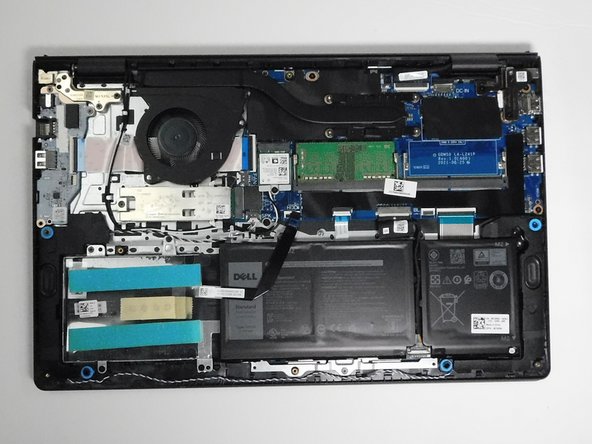
Go to step 1 ↓This guide will show you how to replace the SSD of the Dell Vostro 3510. The SSD is a component that is in charge of storing data and memory. Additionally, SSDs also affect computer system performance. Pros to upgrading the SSD include higher computer performance, faster boot times, and quicker access to data.
Before you begin, power off the laptop and disconnect it from the charging adapter and any peripherals.
Note: You don’t need to remove the battery to complete this repair, but be sure to disconnect the battery connector from the motherboard.
What you need
Tools
-
Spudger4.9
-


-
-
Tool used on this step:Magnetic Project Mat$19.95
-
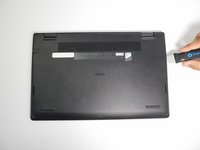
Use a Phillips #0 screwdriver to remove the screws highlighted with red circles.
-
Loosen the two 1 mm captive screws (orange circles in the image) on the back corners of the bottom cover.
-
-
-
-
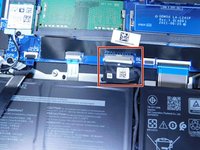
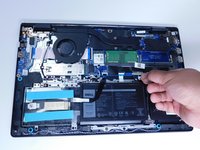
Remove the battery cable from the motherboard by lightly pulling on the black tape attached to the ribbon cable.
-
-
-
-
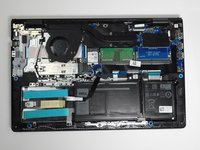
Use a Philips #000 screwdriver to remove the single 2 mm screw from the metal plate covering the SSD.
-
-


 Ask FixBot






To reassemble your device, follow these instructions in reverse order. Take your e-waste to an R2 or e-Stewards certified recycler.
Cancel: I did not complete this guide.
2 other people completed this guide.

Team

Austin Community College, Team 1-2, Tijerina Fall 2025 Member of Austin Community College, Team 1-2, Tijerina Fall 2025
AUSTINCC-TIJERINA-F25S1G2
3 Members
36 Guides authored
