Free Shipping on Domestic Orders $75+

Dell Vostro 1400 Screen Replacement

What you need

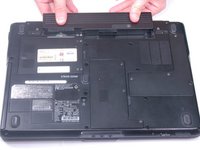
  1. Dell Vostro 1400 Screen Replacement, Battery: step 1, image 1 of 1
    • Be sure the power is off and all cables are unplugged from the device before starting.

    • After flipping over the laptop, the battery is on the bottom side of the laptop.

    • Find the tabs on both the left and right side of the battery.

    Ask FixBot

    Add Comment

  2. Dell Vostro 1400 Screen Replacement: step 2, image 1 of 1
    • Push tabs toward the outside of the laptop until they lock in place.

    Ask FixBot

    Add Comment

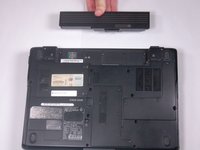
  3. Dell Vostro 1400 Screen Replacement: step 3, image 1 of 2 Dell Vostro 1400 Screen Replacement: step 3, image 2 of 2
    • Push the battery forward to eject it from the laptop.

    Ask FixBot

    Add Comment

  4. Dell Vostro 1400 Screen Replacement, Screen: step 4, image 1 of 1
    • Please make sure your device is completely turned off and everything is unplugged from the device

    • Open the laptop.

    Ask FixBot

    Add Comment

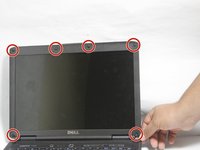
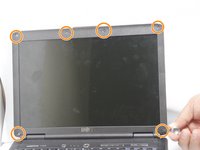
  5. Dell Vostro 1400 Screen Replacement: step 5, image 1 of 2 Dell Vostro 1400 Screen Replacement: step 5, image 2 of 2
    • Remove the 6 screw hole covers surrounding the screen.

    • Remove the 6 screws that were underneath the screw covers.

    Ask FixBot

    Add Comment

  6. Dell Vostro 1400 Screen Replacement: step 6, image 1 of 2 Dell Vostro 1400 Screen Replacement: step 6, image 2 of 2
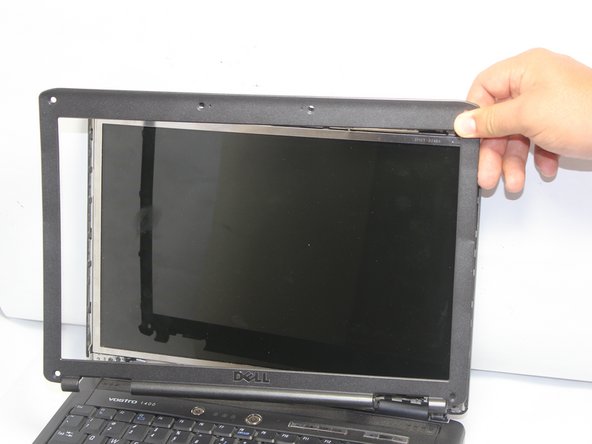
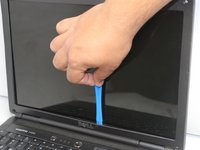
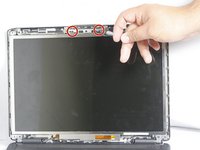
    • Carefully remove the plastic surrounding the screen by pulling off, starting at the bottom.

    • Remove the two (2.5mm x 5mm) screws at the top, by the camera.

    Ask FixBot

    Add Comment

  7. Dell Vostro 1400 Screen Replacement: step 7, image 1 of 2 Dell Vostro 1400 Screen Replacement: step 7, image 2 of 2
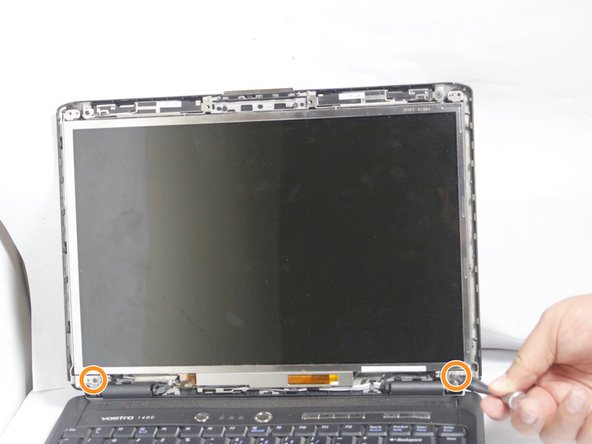
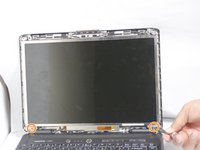
    • Remove the two 5mm screws from the camera above the screen.

    • Remove the two 5mm screws from the bottom of the screen.

    Ask FixBot

    Add Comment

  8. Dell Vostro 1400 Screen Replacement: step 8, image 1 of 2 Dell Vostro 1400 Screen Replacement: step 8, image 2 of 2
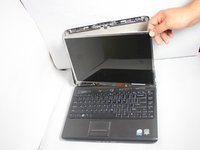
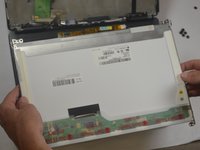
    • Carefully remove the screen from the back cover.

    Ask FixBot

    Add Comment

  9. Dell Vostro 1400 Screen Replacement: step 9, image 1 of 2 Dell Vostro 1400 Screen Replacement: step 9, image 2 of 2
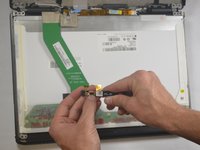
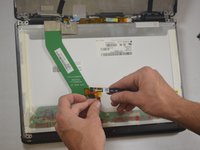
    • Lift up the black tag holding the camera and cable together.

    • Unplug the camera from the cable.

    Ask FixBot

    Add Comment

  10. Dell Vostro 1400 Screen Replacement: step 10, image 1 of 3 Dell Vostro 1400 Screen Replacement: step 10, image 2 of 3 Dell Vostro 1400 Screen Replacement: step 10, image 3 of 3
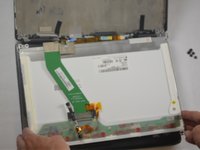
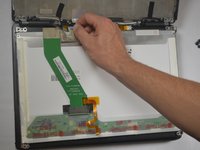
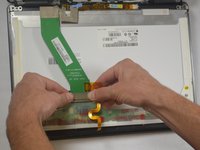
    • Unplug the two cables connected to the screen.

    Ask FixBot

    Add Comment

  11. Dell Vostro 1400 Screen Replacement: step 11, image 1 of 2 Dell Vostro 1400 Screen Replacement: step 11, image 2 of 2
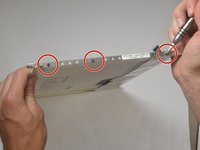
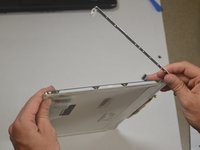
    • Remove the six 3mm screws on each side of the screen.

    • Remove the railing on each side of the screen.

    • The railing will be marked "L" for left side or "R" for the right. This should assist in reassembly.

    Ask FixBot

    Add Comment

Conclusion

To reassemble your device, follow these instructions in reverse order.

Cancel: I did not complete this guide.

2 other people completed this guide.

David Hogg

Member since: 03/20/17

739 Reputation

5 Guides authored

Team

0 Guide Comments

Add Comment

View Statistics:

Past 24 Hours: 2

Past 7 Days: 4

Past 30 Days: 22

All Time: 854