Free Shipping on Domestic Orders $75+

Dell Vostro 1320 Screen Replacement

What you need

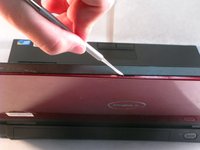
  1. Dell Vostro 1320 Screen Replacement, Screen: step 1, image 1 of 1
    • Take screw covers off with a metal spudger

    Ask FixBot

    Add Comment

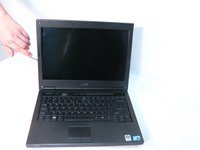
  2. Dell Vostro 1320 Screen Replacement: step 2, image 1 of 1
    • Take the six screws out with the bit driver.

    Ask FixBot

    Add Comment

  3. Dell Vostro 1320 Screen Replacement: step 3, image 1 of 2 Dell Vostro 1320 Screen Replacement: step 3, image 2 of 2
    • Pop the black plastic panel off with the metal spudger. There are three spots where you should leverage it so that the panel does not break.

    Ask FixBot

    Add Comment

  4. Dell Vostro 1320 Screen Replacement: step 4, image 1 of 1
    • Remove the plug on the bottom of the screen.

    Ask FixBot

    Add Comment

  5. Dell Vostro 1320 Screen Replacement: step 5, image 1 of 1
    • Remove the two screws on the bottom of the computer screen.

    Ask FixBot

    Add Comment

  6. Dell Vostro 1320 Screen Replacement: step 6, image 1 of 1
    • Remove the tape and the LCD plug/connector from the back of the screen.

    Ask FixBot

    Add Comment

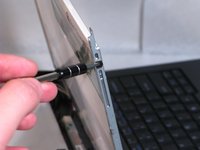
  7. Dell Vostro 1320 Screen Replacement: step 7, image 1 of 2 Dell Vostro 1320 Screen Replacement: step 7, image 2 of 2
    • Remove the three screws on the left and right of the screen.

    Ask FixBot

    Add Comment

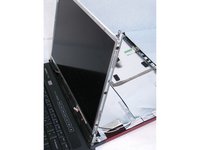
  8. Dell Vostro 1320 Screen Replacement: step 8, image 1 of 1
    • Remove the screen from the metal side frames.

    Ask FixBot

    Add Comment

Conclusion

To reassemble your device, follow these instructions in reverse order.

Cancel: I did not complete this guide.

0 Guide Comments

Add Comment

View Statistics:

Past 24 Hours: 0

Past 7 Days: 7

Past 30 Days: 27

All Time: 1,080