Free Shipping on Domestic Orders $75+

Dell Venue 7 Motherboard Replacement

What you need

    1. Dell Venue 7 Motherboard Replacement, Rear Case: step 1, image 1 of 2 Dell Venue 7 Motherboard Replacement, Rear Case: step 1, image 2 of 2
      • Use a spudger or your fingers to pry off the back case.

      • If your case is badly damaged, use caution because the fragments may be sharp.

      Ask FixBot

      Add Comment

    1. Dell Venue 7 Motherboard Replacement, Battery: step 2, image 1 of 1
      Tool used on this step:
      Tweezers
      $4.99
      Buy
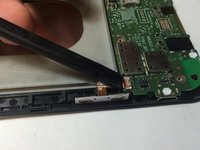
      • Gently disconnect the battery from the motherboard using your fingers or a pair of tweezers.

      Ask FixBot

      Add Comment

    2. Dell Venue 7 Motherboard Replacement: step 3, image 1 of 1
      • Remove the battery by pulling it from the edges and carefully peeling it off of the base.

      • There is adhesive keeping the battery in place, so don't be afraid to use a little extra force.

      • Do not bend or warp the battery in any way as it can be a fire hazard.

      Ask FixBot

      Add Comment

    1. Dell Venue 7 Motherboard Replacement, Rear Facing Camera: step 4, image 1 of 1
      • Use a spudger to disconnect the camera from the motherboard.

      Ask FixBot

      Add Comment

    2. Dell Venue 7 Motherboard Replacement: step 5, image 1 of 1
      • Remove the camera from the device.

      Ask FixBot

      Add Comment

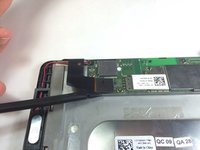
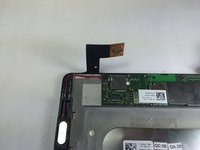
    1. Dell Venue 7 Motherboard Replacement, Speaker: step 6, image 1 of 2 Dell Venue 7 Motherboard Replacement, Speaker: step 6, image 2 of 2
      • Use a spudger to remove the ribbon cable that is around the speaker wire.

      Ask FixBot

      Add Comment

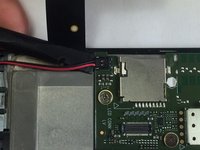
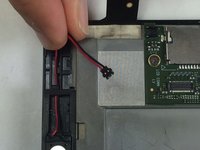
    2. Dell Venue 7 Motherboard Replacement: step 7, image 1 of 2 Dell Venue 7 Motherboard Replacement: step 7, image 2 of 2
      • Disconnect the speaker wire from the motherboard by prying the connector upwards with the spudger.

      Ask FixBot

      Add Comment

    3. Dell Venue 7 Motherboard Replacement: step 8, image 1 of 1
      • Remove the plastic covering on the speaker.

      Ask FixBot

      Add Comment

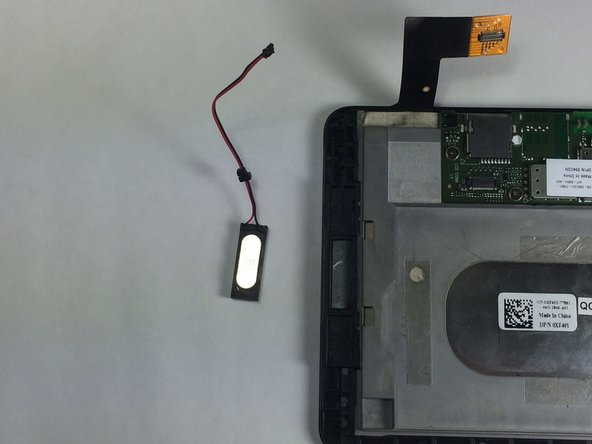
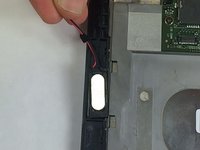
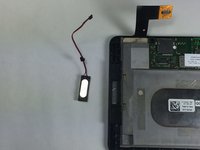
    4. Dell Venue 7 Motherboard Replacement: step 9, image 1 of 2 Dell Venue 7 Motherboard Replacement: step 9, image 2 of 2
      • Gently pull on the wire and remove the speaker.

      Ask FixBot

      Add Comment

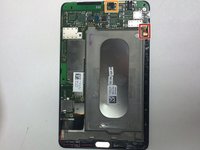
    1. Dell Venue 7 Motherboard Replacement, Motherboard: step 10, image 1 of 3 Dell Venue 7 Motherboard Replacement, Motherboard: step 10, image 2 of 3 Dell Venue 7 Motherboard Replacement, Motherboard: step 10, image 3 of 3
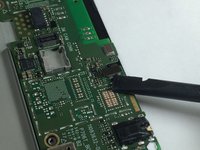
      • Disconnect the two remaining connections on the motherboard.

      • To remove the first connector, lift up the clasp and remove the ribbon cable.

      • To remove the second one, use a spudger to gently pry the connector from the motherboard.

      Ask FixBot

      Add Comment

    2. Dell Venue 7 Motherboard Replacement: step 11, image 1 of 2 Dell Venue 7 Motherboard Replacement: step 11, image 2 of 2
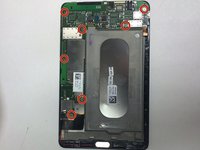
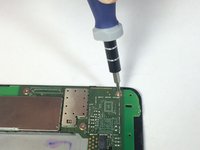
      • Remove all 8 of the 2.1mm Phillips head screws from the motherboard.

      Ask FixBot

      Add Comment

    3. Dell Venue 7 Motherboard Replacement: step 12, image 1 of 1
      • Lift and remove the motherboard from the device.

      Ask FixBot

      Add Comment

Conclusion

To reassemble your device, follow these instructions in reverse order.

Cancel: I did not complete this guide.

8 other people completed this guide.

Stephen Rousseau

Member since: 01/20/15

663 Reputation

4 Guides authored

Team

USF Tampa, Team 11-4, Blackwell Winter 2015 Member of USF Tampa, Team 11-4, Blackwell Winter 2015

USFT-BLACKWELL-W15S11G4

4 Members

60 Guides authored

2 Guide Comments

unable to open the lock, can the mother board be changed

Amitabh Mishra - Reply Share

Great article.

luisramonjimenez1986 - Reply Share

Add Comment

View Statistics:

Past 24 Hours: 3

Past 7 Days: 24

Past 30 Days: 83

All Time: 5,003