
Dell Streak Display Replacement

Last updated on Mar 13, 2017
Views: 24K
View statistics:
- Past 24 Hours:
- 3
- Past 7 Days:
- 25
- Past 30 Days:
- 131
- All Time:
- 24,030
Comments: 1
1 comment on steps.
Completed: 1 2
1 person has marked this guide "completed." Will you be next?
2 people have marked this guide "completed." Including you — great job!
Favorites: 4 5
4 people have favorited (and subscribed to) this guide. Will you be next?
5 people have favorited (and subscribed to) this guide — including you!
Community-Contributed Guide
An awesome member of our community made this guide. It was not created by iFixit staff.
What you need
Tools

Introduction
Go to step 1 ↓First read the Teardown from ifixit.com for the Dell Streak Phone
-
-
-
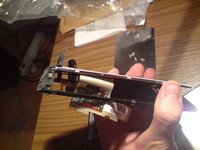
Loosen any clamps that hold the LCD screen in place. Some of the clamps may not be loosened yet, leave them attached for now.
 Ask FixBot
-
-
-
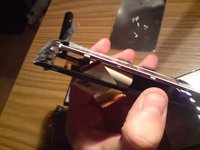
The gorilla glass is pinned to the case. You must take a slotted screwdriver to go around the case and separate the gorilla glass from the case.
-
In some instances the gorilla glass may seperate from the LCD fairly easily, or it maybe hard to release.
-
(Don't feel sorry for the broken display, it doesn't deserve to be treated gently..)
-
-
-
-
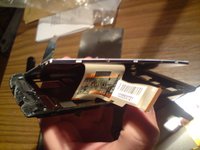
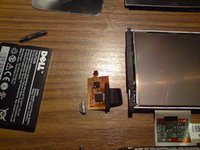
Lift the new display out of the case. You should fold the LCD ribbon cable to do this.
-
-
-
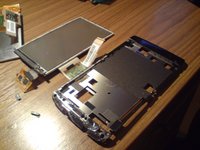
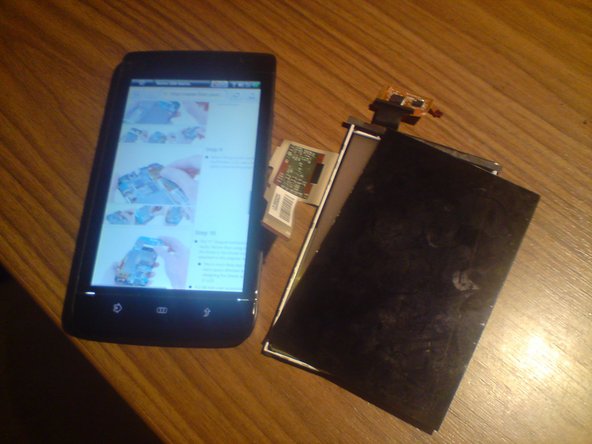
Really good, the display is out of the case.
-
Remember the lifted display is no longer for use. For example, i brought the touchscreen ribbon cable even though i was careful.
-
-
-
Insert the brand new display! Remind, you must do step 3 to 2 in reversed direction. The hardest part for me was to fold the LCD ribbon cable of the new display, but don't be shy, do it!
-
Reassemble your Phone
-
-
-
Perfect, it's done!
-
Don't be alarmed if the screen is black when you re-start your phone for the first time and the buttons are only glowing. This may happen, but removing and reinserting the battery should restart it and cause it to function properly!
-
-






To reassemble your device, follow these instructions in reverse order.
Cancel: I did not complete this guide.
One other person completed this guide.

