Free Shipping on Domestic Orders $75+

Dell Optiplex SX280 Battery Replacement

What you need

  1. Dell Optiplex SX280 Battery Replacement, Panel Cover: step 1, image 1 of 1
    • Make sure the computer is turned off, by selecting the start menu and choosing “Shut Down”.

    • Ensure all cables, speakers and other devices are unplugged and turned off before opening the computer case.

    Ask FixBot
  2. Dell Optiplex SX280 Battery Replacement: step 2, image 1 of 2 Dell Optiplex SX280 Battery Replacement: step 2, image 2 of 2
    • Lay the computer on its side; you will see a blue knob.

    • Turn this knob 90 deg clockwise.

    Ask FixBot
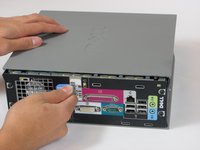
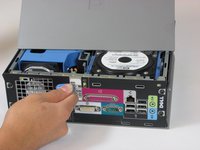
  3. Dell Optiplex SX280 Battery Replacement: step 3, image 1 of 2 Dell Optiplex SX280 Battery Replacement: step 3, image 2 of 2
    • Slide the panel case forward about 1/2 inch while knob is turned.

    • Lift panel case off computer.

    Ask FixBot
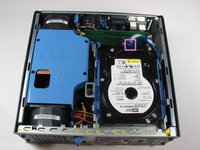
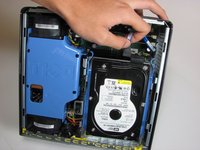
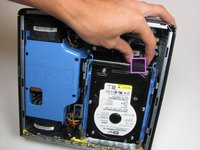
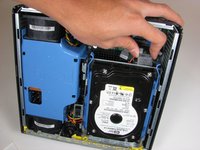
  4. Dell Optiplex SX280 Battery Replacement, Hard Drive: step 4, image 1 of 2 Dell Optiplex SX280 Battery Replacement, Hard Drive: step 4, image 2 of 2
    • Unplug the blue cable that connects the hard drive to the motherboard.

    Ask FixBot
  5. Dell Optiplex SX280 Battery Replacement: step 5, image 1 of 2 Dell Optiplex SX280 Battery Replacement: step 5, image 2 of 2
    • Unplug the power supply, distinguished by its red and yellow wires (yellow wire obscured from view).

    Ask FixBot
  6. Dell Optiplex SX280 Battery Replacement: step 6, image 1 of 1
    • Squeeze the release tabs on either side of the hard drive.

    Ask FixBot
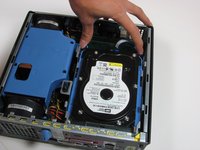
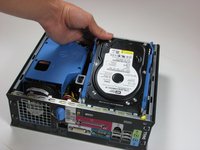
  7. Dell Optiplex SX280 Battery Replacement: step 7, image 1 of 2 Dell Optiplex SX280 Battery Replacement: step 7, image 2 of 2
    • Slide the Hard Drive out while squeezing the tabs.

    Ask FixBot
  8. Dell Optiplex SX280 Battery Replacement, Battery: step 8, image 1 of 1
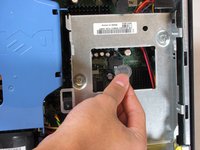
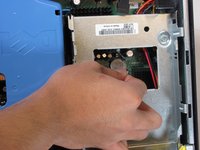
    • Under the hard drive, there is a circular, silver battery connected to the motherboard.

    • Use a spudger to gently pry the battery from the motherboard.

    Ask FixBot
  9. Dell Optiplex SX280 Battery Replacement: step 9, image 1 of 1
    • Lift the battery out of the motherboard.

    Ask FixBot
  10. Dell Optiplex SX280 Battery Replacement: step 10, image 1 of 3 Dell Optiplex SX280 Battery Replacement: step 10, image 2 of 3 Dell Optiplex SX280 Battery Replacement: step 10, image 3 of 3
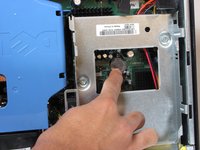
    • Upon replacement, simply push the battery into the motherboard.

    Ask FixBot
Conclusion

To reassemble your device, follow these instructions in reverse order.

10 other people completed this guide.

Tom

Member since: 10/04/10

850 Reputation

7 Guides authored

Team

Cal Poly, Team 22-4, Maness Fall 2010 Member of Cal Poly, Team 22-4, Maness Fall 2010

CPSU-MANESS-F10S22G4

4 Members

26 Guides authored

1 Guide Comment

that particular battery holder looked hard to get out- no pop out lever, thought i’d break it gouging it out!

neverts “itchytastyurr” ennud - Reply Share

Add Comment

View Statistics:

Past 24 Hours: 5

Past 7 Days: 11

Past 30 Days: 78

All Time: 12,240