Free Shipping on Domestic Orders $75+

Dell Optiplex 7010 MT RAM Replacement

    1. Dell Optiplex 7010 MT RAM Replacement, Side Panel Latch: step 1, image 1 of 2 Dell Optiplex 7010 MT RAM Replacement, Side Panel Latch: step 1, image 2 of 2
      • Pull side panel latch to left.

      Ask FixBot

      Add Comment

    2. Dell Optiplex 7010 MT RAM Replacement, Opening the side panel: step 2, image 1 of 1
      • Pull side panel out while still holding latch.

      Ask FixBot

      Add Comment

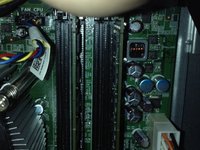
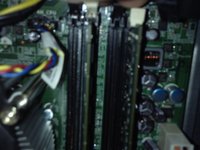
    3. Dell Optiplex 7010 MT RAM Replacement, Locate RAM DIMMs: step 3, image 1 of 1
      • The RAM DIMMs are to the right of the CPU cooler and fan.

      Ask FixBot

      Add Comment

    4. Dell Optiplex 7010 MT RAM Replacement, RAM removal: step 4, image 1 of 2 Dell Optiplex 7010 MT RAM Replacement, RAM removal: step 4, image 2 of 2
      • Pull RAM removal tabs on both sides and lift RAM out.

      Ask FixBot

      Add Comment

Conclusion

To reassemble your device, follow these instructions in reverse order.

Cancel: I did not complete this guide.

6 other people completed this guide.

guardian10

Member since: 03/10/22

11,035 Reputation

15 Guides authored

3 Guide Comments

Hey, if you could add pictures that would be great, thanks.

NR26 - Reply Share

I put them in.

guardian10 - Reply Share

Thanks man.

NR26 - Reply Share

Add Comment

View Statistics:

Past 24 Hours: 1

Past 7 Days: 9

Past 30 Days: 57

All Time: 1,716