
Dell OptiPlex FX170 CMOS Battery Replacement

Frank Pecka and 3 other contributors
Last updated on Jun 16, 2015
Views: 1.6K
View statistics:
- Past 24 Hours:
- 2
- Past 7 Days:
- 16
- Past 30 Days:
- 85
- All Time:
- 1,601
Comments: 0
No one has left comments on this guide. Will you be first?
Go to guide commentsCompleted: 0 1
No one has marked this guide "completed." Will you be the first?
1 person has marked this guide "completed." It's you — great job!
Favorites: 0 1
No one has favorited (and subscribed to) this guide. Will you be the first?
1 person has favorited (and subscribed to) this guide — and that's you!
Introduction
Go to step 1 ↓You should be familiar with the basics of taking apart a computer take apart, specifically in terms of preventing further damage due to electro-static discharge (ESD).
What you need
Tools
-
Spudger4.9


-
-
-
With the base stand facing upwards, unscrew the 6mm Phillips #2 screw.
-
Pull the base stand straight up from the device.
 Ask FixBot
-
-
-
Unscrew and remove the eight 4mm Phillips #0 screws (four on top, four on bottom) from the top and bottom of the device.
-
-
-
-
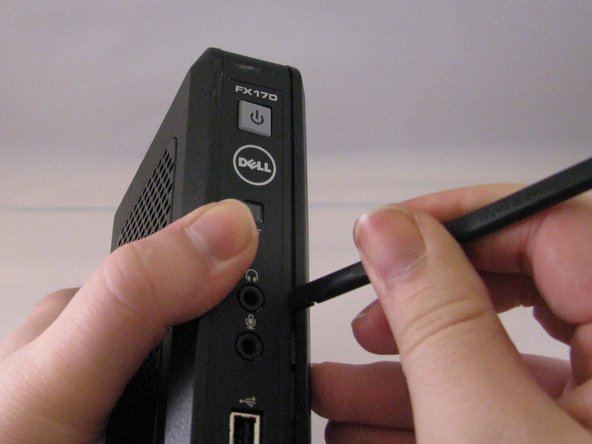
Run the flat side of the spudger along the entire line of the case starting from the back where the power plug and a small screw are located.
-
-
-
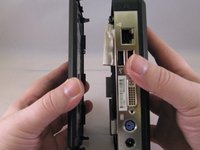
Once the clips have been released, gently disengage the cover from the rest of case by pulling in opposite directions.
-
-
-
-
-
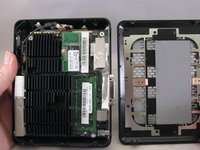
Using the spudger, gently push on the underside of the memory board to loosen it. Gently grasp each side and pull up to release the memory board.
-
-
-
-
-
To remove the battery, pull up on the connector that is plugged into the motherboard.
-
-






To reassemble your device, follow these instructions in reverse order.

Team

Eastern Washington University, Team 1-4, Carnegie Winter 2015 Member of Eastern Washington University, Team 1-4, Carnegie Winter 2015
EWU-CARNEGIE-W15S1G4
3 Members
84 Guides authored
