
Dell Latitude E7470 Network Card Replacement

Jack Teegarden and 3 other contributors
Last updated on Jan 10, 2025
Views: 1.8K
View statistics:
- Past 24 Hours:
- 3
- Past 7 Days:
- 24
- Past 30 Days:
- 92
- All Time:
- 1,759
Comments: 4
4 comments on steps.
Completed: 1 2
1 person has marked this guide "completed." Will you be next?
2 people have marked this guide "completed." Including you — great job!
Favorites: 0 1
No one has favorited (and subscribed to) this guide. Will you be the first?
1 person has favorited (and subscribed to) this guide — and that's you!
Introduction
Go to step 1 ↓Use this guide to replace a faulty or broken Wi-Fi/network card in your Dell Latitude E7470.
The network card might not be vital to the function of a laptop, but it is vital part for you to be connection to basically anything you need to do in your life on the computer.
Unfortunately at this time iFixit doesn't have a troubleshooting guide for the Dell LatitudeE7470. I would recommend before completely replacing you look up a troubleshooting guide to make sure that's what's wrong with it.
Be sure to back up your hard drive before replacing it so you don’t lose any data while you’re doing the replacement. Make sure to power off your laptop completely and disconnect from any external power source prior to beginning the process.
What you need
Fix Kit
This kit contains all the parts and tools needed to complete this guide.

Parts

Tools


-
-
-
Remove the eight 4 mm screws on the back cover using a Phillips #0 screwdriver.
 Ask FixBot
-
-
-
-
-
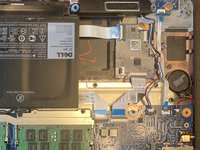
Use the pull tab on the battery connector to lift the connector straight up off its socket on the motherboard, disconnecting it.
-
-
-
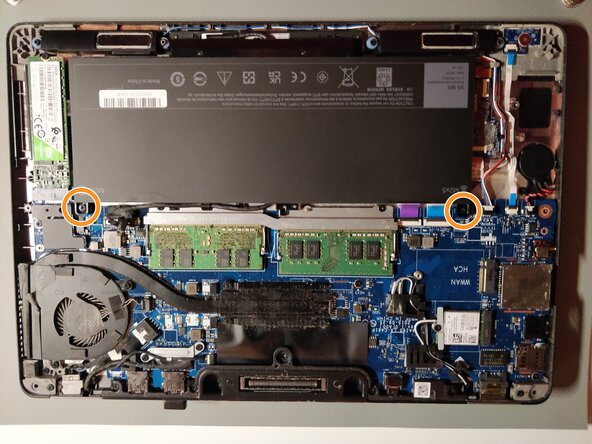
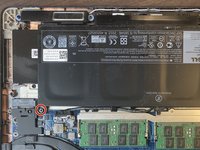
Remove the single 4 mm Phillips screw securing the bottom left corner of the battery.
-
If you are removing an extended capacity battery (see third photo), remove the Phillips screw securing the bottom right corner of the battery.
-
-
-
-
-
Tool used on this step:Halberd Spudger$2.99
-
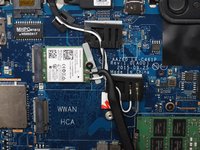
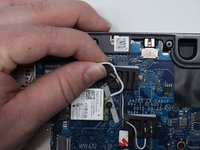
Use a halberd spudger and your fingers to detach two wires from the Wi-Fi card.
-
-
-
Use an iFixit opening tool and your fingers to pull the Wi-Fi card out of its socket.
-
-






To reassemble your device, follow these instructions in reverse order.
Cancel: I did not complete this guide.
One other person completed this guide.

Team

University of Kentucky, Team 1-3, Kaufmann Spring 2022 Member of University of Kentucky, Team 1-3, Kaufmann Spring 2022
UKY-KAUFMANN-S22S1G3
3 Members
36 Guides authored
