
Dell Latitude E6420 Keyboard Replacement

Madysen Eames and one other contributor
Last updated on May 23, 2018
Views: 4.3K
View statistics:
- Past 24 Hours:
- 0
- Past 7 Days:
- 22
- Past 30 Days:
- 96
- All Time:
- 4,278
Comments: 4
4 comments on steps.
Completed: 3 4
3 people have marked this guide "completed." Will you be next?
4 people have marked this guide "completed." Including you — great job!
Favorites: 0 1
No one has favorited (and subscribed to) this guide. Will you be the first?
1 person has favorited (and subscribed to) this guide — and that's you!
Introduction
Go to step 1 ↓Keys can break off or stop working. This guide will show users how to replace the keyboard.
What you need
Tools
-
Spudger4.9


-
-
-
Push the tabs on the left and right of the battery out towards the edge of the case.
 Ask FixBot
-
-
-
While still pushing in the tabs, using your pinky finger, lift the battery out of the laptop.
-
-
-
-
-
-
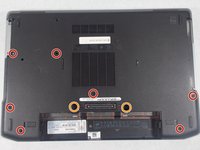
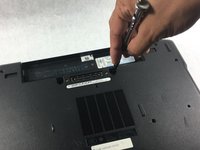
Using the screwdriver, remove seven 4mm Phillips #1 screws from the bottom of the laptop.
-
Using the screwdriver, remove two 9mm Phillips #00 screws from the bottom of the laptop.
-
-
-
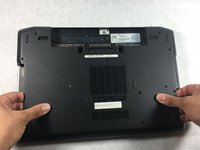
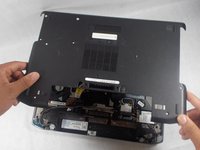
Gently lift the back plate off of the laptop making sure all of the tabs on the inside perimeter of the back plate are unhooked before lifting.
-
-
-
-
-
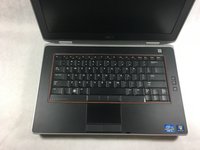
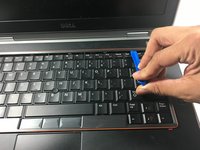
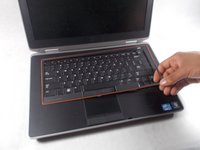
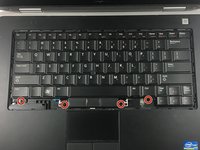
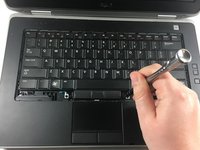
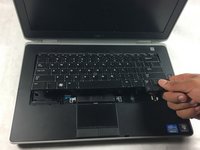
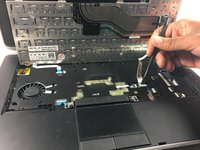
Use the plastic opening tool to remove the bezel from around the keyboard.
-
-
-











To reassemble your device, follow these instructions in reverse order.
Cancel: I did not complete this guide.
3 other people completed this guide.

Team

UMass Dartmouth, Team S2-G3, Simcock Spring 2018 Member of UMass Dartmouth, Team S2-G3, Simcock Spring 2018
UMASSD-SIMCOCK-S18S2G3
3 Members
84 Guides authored
