Introduction
If the user would like to replace a faulty RAM stick or one with insufficient capacity, this guide will give step by step information on how to achieve this.
What you need
-
-
-
Unscrew the single 3.5mm Phillips #1 screw that holds on the bottom plate of the device.
 Ask FixBot
-
-
-
Place your hands on the plate and pull it toward yourself.
-
The plate will pop out of place and may then be removed.
-
-
-
-
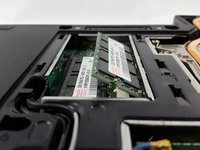
The RAM sticks are located near the center of the device, and are arranged one on top of the other.
-
-
-
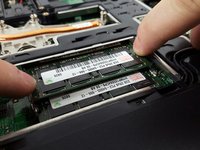
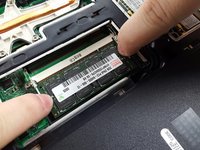
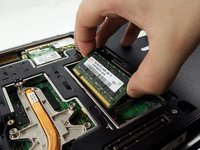
Locate the two dislocating tabs on each side of the stick and place your fingers on the tabs.
-
Pull the tabs away from the stick to pop it out of place.
-
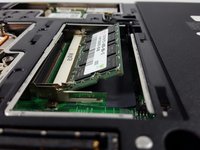
Once the RAM stick has popped out of place, it can be gently removed.
-
-
-
If necessary, repeat this process with the second RAM stick that lies beneath the first one.
-
-




To reassemble your device, install the new stick(s) and follow these instructions in reverse order.
Cancel: I did not complete this guide.
4 other people completed this guide.

Team

UMass Dartmouth, Team 2-4, Isaacson Fall 2016 Member of UMass Dartmouth, Team 2-4, Isaacson Fall 2016
UMASSD-ISAACSON-F16S2G4
3 Members
60 Guides authored
