Free Shipping on Domestic Orders $75+

Dell Latitude E5410 Screen Replacement

What you need

    1. Dell Latitude E5410 Screen Replacement, Dell Latitude E5410 Screen Replacement: step 1, image 1 of 1
      • Have your laptop ready with your screen pulled all they way down parallel to the bottom of the laptop.

      Ask FixBot

      Add Comment

    2. Dell Latitude E5410 Screen Replacement: step 2, image 1 of 1
      • Start on the top left or right corner of the screen edge and unscrew the small screws.

      • Be sure to remove the rubber placeholders in order to access the screws.

      Ask FixBot

      Add Comment

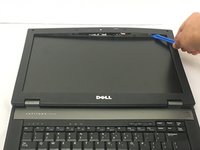
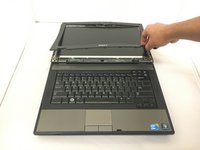
    3. Dell Latitude E5410 Screen Replacement: step 3, image 1 of 2 Dell Latitude E5410 Screen Replacement: step 3, image 2 of 2
      • Using a plastic opening tool, pry the bezel away from the screen.

      Ask FixBot

      Add Comment

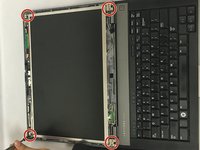
    4. Dell Latitude E5410 Screen Replacement: step 4, image 1 of 2 Dell Latitude E5410 Screen Replacement: step 4, image 2 of 2
      • Use the Phillips screwdriver to remove the screws from corners around the screen.

      Ask FixBot

      Add Comment

    5. Dell Latitude E5410 Screen Replacement: step 5, image 1 of 1
      • Remove the screws from both sides.

      • Once removed, they will release the screen.

      Ask FixBot

      Add Comment

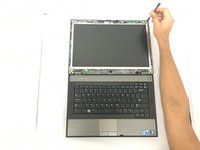
    6. Dell Latitude E5410 Screen Replacement: step 6, image 1 of 2 Dell Latitude E5410 Screen Replacement: step 6, image 2 of 2
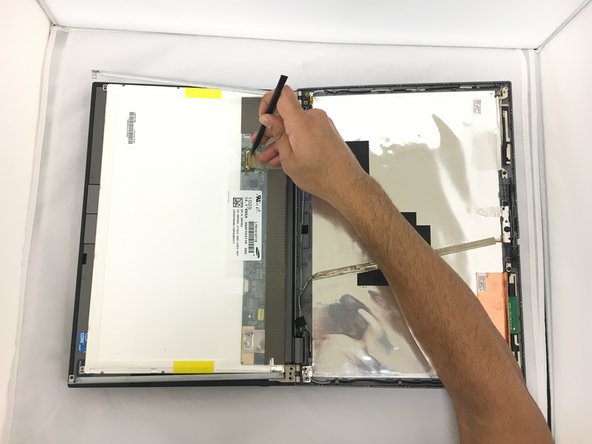
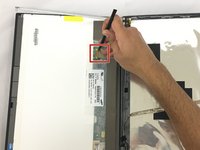
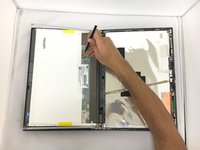
      • Use the spudger to move the sensor aside.

      Ask FixBot

      Add Comment

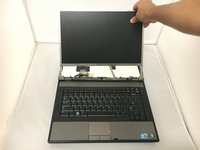
    7. Dell Latitude E5410 Screen Replacement: step 7, image 1 of 2 Dell Latitude E5410 Screen Replacement: step 7, image 2 of 2
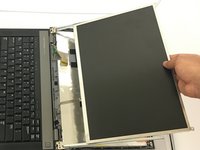
      • Release the screen by pulling up and out.

      Ask FixBot

      Add Comment

Conclusion

To reassemble your device, follow these instructions in reverse order.

Cancel: I did not complete this guide.

One other person completed this guide.

0 Guide Comments

Add Comment

View Statistics:

Past 24 Hours: 3

Past 7 Days: 30

Past 30 Days: 116

All Time: 3,230