Introduction
Introduction
The hard drive is where you store permanent files on your laptop. If your hard drive is damaged and does not operate properly any more, or you simply want a larger and/or faster one, you can replace it with a new one.
This guide will teach you
- Where the Hard Drive is located
- how to remove safely
- Tools needed to complete the replacement
What you need
-
-
-
Shutdown the computer, detach it from any power source, and make sure the laptop is closed with its latch securely shut.
-
Turn the laptop over so its bottom is facing you.
 Ask FixBot
-
-
-
Using two index fingers, slide the battery latches outward.
-
While still holding the latches out, use your thumbs to slide the battery out towards you.
-
Once the battery is dislodged, you can let go of the latches and remove the battery.
-
-
-
-
-
-
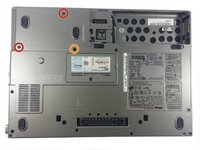
Position the closed laptop upside down.
-
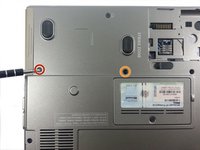
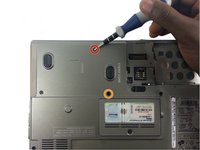
Unscrew the screw closest to the hard drive opening and the one diagonally to the right. This will loosen the hard drive.
-
Do not unscrew this screw!
-
-
-
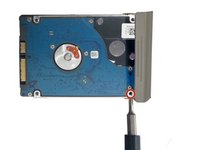
Place thumb on the hard drive cover and get a firm grip.
-
Pull the hard drive out slowly to avoid any further damage to the laptop.
-
-




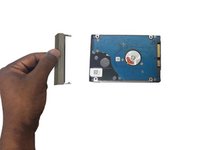
To reassemble your device, follow these instructions in reverse order.
Cancel: I did not complete this guide.
18 other people completed this guide.

Team

UMass Dartmouth, Team 1-4, Cichon Spring 2014 Member of UMass Dartmouth, Team 1-4, Cichon Spring 2014
UMASSD-CICHON-S14S1G4
3 Members
12 Guides authored
5 Guide Comments
Dell latitude 2RHczd1
Thank You Sir !
Thanks so much. Perfect explanation!!
