Introduction
You can tell if your hard drive is broken if you get a 'hard drive missing/not detected' error upon computer startup. If this is the case, you need to buy a hard drive and replace the old one with it. Most hard drives can withstand being handled, but it is good to be careful with it nonetheless.
What you need
-
-
-
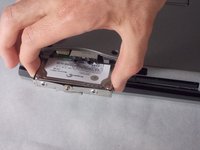
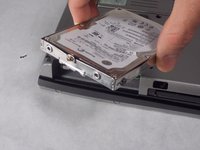
The hard drive will be located in the side of the laptop.
-
Unscrew the two bottom 6mm screws using Phillips #1.
 Ask FixBot
-
-
-


To reassemble your device, follow these instructions in reverse order.
Cancel: I did not complete this guide.
2 other people completed this guide.

Team

UMass Dartmouth, Team S2-G6, Bernier Spring 2018 Member of UMass Dartmouth, Team S2-G6, Bernier Spring 2018
UMASSD-BERNIER-S18S2G6
3 Members
47 Guides authored
