
Dell Latitude D430 Wireless Adapter Replacement

Parker Wiley and 2 other contributors
Last updated on Jan 7, 2019
Views: 1K
View statistics:
- Past 24 Hours:
- 1
- Past 7 Days:
- 13
- Past 30 Days:
- 61
- All Time:
- 1,029
Comments: 0
No one has left comments on this guide. Will you be first?
Go to guide commentsCompleted: 0 1
No one has marked this guide "completed." Will you be the first?
1 person has marked this guide "completed." It's you — great job!
Favorites: 0 1
No one has favorited (and subscribed to) this guide. Will you be the first?
1 person has favorited (and subscribed to) this guide — and that's you!
Introduction
Go to step 1 ↓The wireless adapter allows you to connect to local networks. This part is important because it allows you to use the internet. If you do not want to be tethered to a cable, it is important to replace this component if it does not function correctly.
What you need
Tools

-
-
-
Use a Phillips #00 screwdriver to remove the three screws that secure the small "L" shaped backplate.
-
-
-
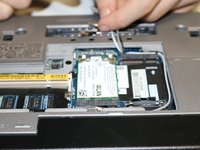
Once all 3 screws have been removed, carefully remove the panel by grabbing the edges, and pulling up.
-
-
-
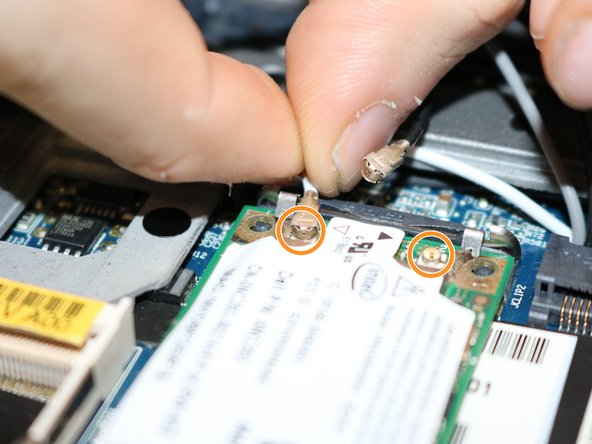
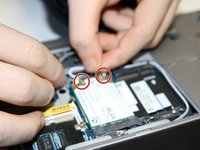
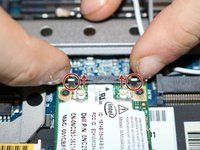
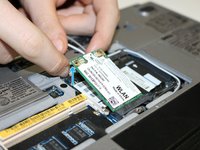
Identify the two pins connecting the wireless adapter to the motherboard. (The wireless adapter will say WLAN on it.)
-
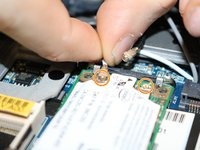
Carefully pull up on each pin and remove them from the wireless adapter.
-
-


 Ask FixBot






To reassemble your device, follow these instructions in reverse order.

Team

University of North Texas, Team S2-G1, Riccardelli Fall 2018 Member of University of North Texas, Team S2-G1, Riccardelli Fall 2018
UNT-RICCARDELLI-F18S2G1
3 Members
48 Guides authored
