Introduction
Replacing the battery in your Dell Latitude 5430 is a straightforward process that can help restore your laptop’s mobility and performance. Whether your current battery no longer holds a charge or you’re experiencing unexpected shutdowns, this guide will walk you through the essential steps to safely remove and install a new battery. Before you begin, make sure you have the proper tools and follow basic safety precautions to protect both yourself and your device.
What you need
-
-
Disconnect the charger, unplug any peripheries, and power down the laptop before beginning.
-
Use a Phillips #1 screwdriver to loosen the eight M2.5x6.5 captive screws securing the lower case.
 Ask FixBot
-
-
-
Insert an opening pick or opening tool into the seam between the lower case and chassis.
-
Slide the opening pick around the entire perimeter, while prying every couple of centimeters to release the retaining clips.
-
Remove the lower case.
-
-
-
-
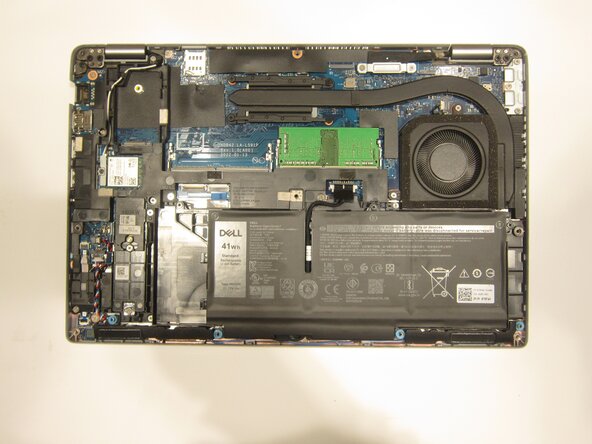
Grip the battery connector pull-tab and lift it straight up to disconnect the battery.
-
-
-
Remove the three M2x5 screws securing the battery with a Phillips #1 screwdriver.
-




To reassemble your device, follow the above steps in reverse order.
For optimal performance, after completing this guide, calibrate your newly installed battery.
Take your e-waste to an R2 or e-Stewards certified recycler.
Repair didn’t go as planned? Try some basic troubleshooting or ask our Answers community for help.

Team

Purdue University Northwest, Team 8-17, Dieterle Spring 2026 Member of Purdue University Northwest, Team 8-17, Dieterle Spring 2026
PNW-DIETERLE-S26S8G17
4 Members
5 Guides authored
