Free Shipping on Domestic Orders $75+

Dell Latitude 5411 Battery Replacement

What you need

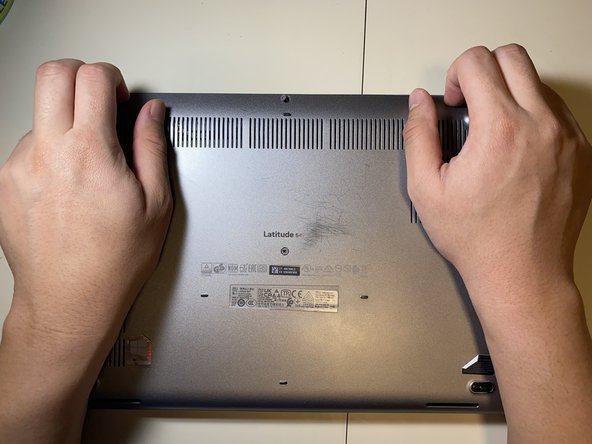
    1. Dell Latitude 5411 Battery Replacement, Lower Case: step 1, image 1 of 1
      • Loosen all eight 2.5 mm captive Phillips #1 screws that secure the lower case.

      • As the screws are captive, they will remain in the case after being loosened.

      Ask FixBot

      Add Comment

    2. Dell Latitude 5411 Battery Replacement: step 2, image 1 of 2 Dell Latitude 5411 Battery Replacement: step 2, image 2 of 2
      • Lift the base cover starting from the left hinge.

      • If it is hard to pull off, make sure that all the screws are loose.

      Ask FixBot

      Add Comment

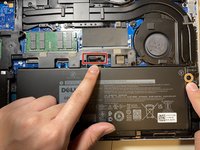
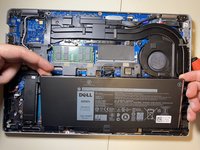
    1. Dell Latitude 5411 Battery Replacement, Battery: step 3, image 1 of 2 Dell Latitude 5411 Battery Replacement, Battery: step 3, image 2 of 2
      • Pull the battery connector pull tab straight up to disconnect the battery.

      • Remove the one 2 mm Phillips #1 screw that secures the battery.

      • Lift the battery straight up and out of the chassis.

      Ask FixBot

      Add Comment

Conclusion

To reassemble your device, follow the above steps in reverse order.
For optimal performance, after completing this guide, calibrate your newly installed battery.
Take your e-waste to an R2 or e-Stewards certified recycler.
Repair didn’t go as planned? Try some basic troubleshooting or ask our Answers community for help.

Cancel: I did not complete this guide.

Connor Bassolino

Member since: 03/29/22

25,358 Reputation

125 Guides authored

Team

iFixit Member of iFixit

Staff

123 Members

77,499 Guides authored

1 Guide Comment

Love y'all guys!! Will be ordering the batt ASAP..!

Marissa Quintero - Reply Share

Add Comment

View Statistics:

Past 24 Hours: 4

Past 7 Days: 28

Past 30 Days: 95

All Time: 1,258