Introduction
This guide will show you how to safely and properly remove and replace the Wi-Fi card from your Dell Latitude 5401.
This process will involve you removing the back panel of the device to gain access to the inner components. The screws you will need to remove are the 8 on the back panel, 3 on the battery, and one screw that holds the network adapter in place.
Warning: Ensure that the device is powered off completely before opening up and handling the inner components of the device.
What you need
-
-
-
Remove the eight 7 mm-long Phillips #1 screws securing the lower case.
 Ask FixBot
-
-
-
Insert an opening pick into the seam between the lower case and chassis.
-
Slide the pick around the entire perimeter while prying every few centimeters to disengage the retaining clips.
-
Remove the lower case.
-
-
-
-
-
Grip the battery connector pull tab and pull the connector straight up to disconnect it.
-
To reconnect the battery, align the connector and use a spudger or clean fingernail to push the connector fully into the socket.
-
-
-
-
-
-
Locate the Wi-Fi card; it sits above and to the left of the battery.
-
-
-
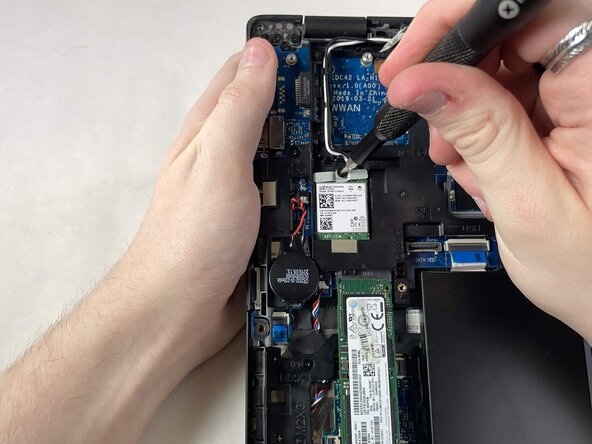
Remove the 4mm Phillips #1 screw at the top of the card.
-
Remove the metal bracket.
-
-
-
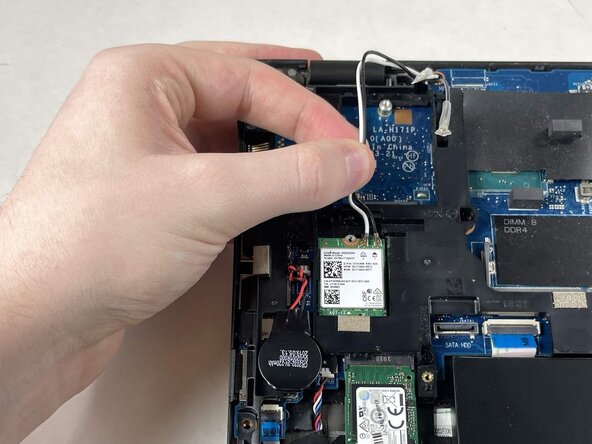
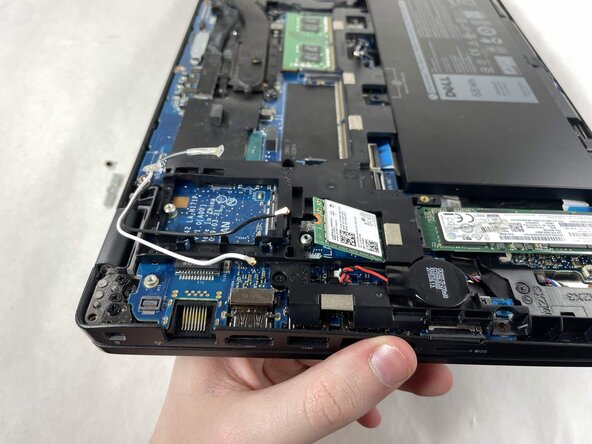
Use the pointed end of a spudger to lift and disconnect the two antenna cables.
-
-







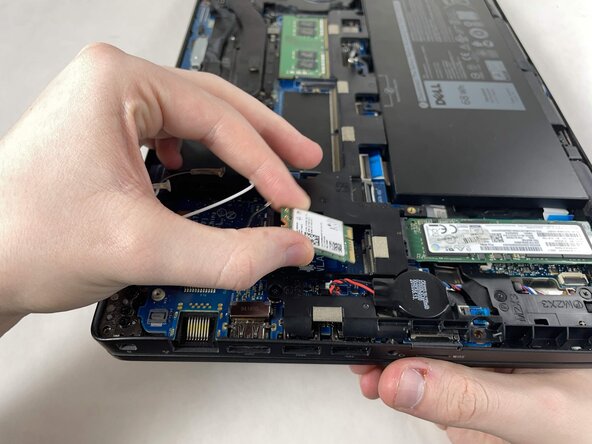


To reassemble your device, follow the above steps in reverse order.
Take your e-waste to an R2 or e-Stewards certified recycler.
Repair didn’t go as planned? Try some basic troubleshooting or ask our Answers community for help.

Team

UMass Dartmouth, Team 1-5, Biswokarma Spring 2026 Member of UMass Dartmouth, Team 1-5, Biswokarma Spring 2026
UMASSD-BISWOKARMA-S26S1G5
5 Members
42 Guides authored
