Introduction
Upgrading or fixing the RAM in a laptop is one of the most effective ways to improve performance and solve common issues like slow speeds or freezing. The Dell Latitude 3450 is designed to allow relatively easy access to its internal components, making it possible for users to replace or reseat memory with basic tools and careful handling. Understanding the correct steps to safely remove and install RAM is important to avoid damaging the system and to ensure the laptop functions properly after the repair. This guide will walk through the process of accessing, removing, and installing RAM in the Dell Latitude 3450.
What you need
-
-
1. Power everything down Shut down the laptop completely Unplug the charger Hold the power button for ~10 seconds (drains leftover power)
 Ask FixBot
-
-
-
2. Open the bottom cover
-
Flip the laptop over Remove all visible screws (usually Phillips head) Use a plastic pry tool or fingernail to gently pop the back cover off Go slow so you don’t crack clips
-
-
-
-
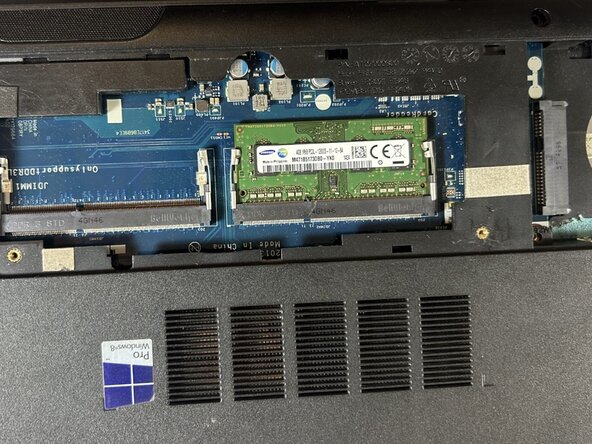
3. Locate the RAM Look for a small rectangular stick (or two) It’s held in by metal clips on each side
-
-
-
4. Remove the RAM (if replacing or reseating) Gently push the clips outward The RAM will pop up at an angle (~30°) Slide it out carefully
-




To reassemble your device, follow these instructions in reverse order.
Cancel: I did not complete this guide.
One other person completed this guide.

Team

UMass Dartmouth, Team 1-4, Evans Spring 2026 Member of UMass Dartmouth, Team 1-4, Evans Spring 2026
UMASSD-EVANS-S26S1G4
5 Members
2 Guides authored
