Free Shipping on Domestic Orders $75+

Dell Latitude 10-ST2e Front Facing Camera Replacement

What you need

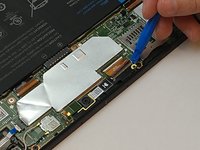
  1. Dell Latitude 10-ST2e Front Facing Camera Replacement, Front Facing Camera: step 1, image 1 of 3 Dell Latitude 10-ST2e Front Facing Camera Replacement, Front Facing Camera: step 1, image 2 of 3 Dell Latitude 10-ST2e Front Facing Camera Replacement, Front Facing Camera: step 1, image 3 of 3
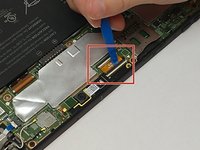
    • Using the blue opening tool, separate the back plastic cover from the device. Start in a corner, and work your way around the tablet.

    Ask FixBot
  2. Dell Latitude 10-ST2e Front Facing Camera Replacement: step 2, image 1 of 2 Dell Latitude 10-ST2e Front Facing Camera Replacement: step 2, image 2 of 2
    • Using a JIS #00 screwdriver, remove the one 4.0mm screw securing the camera to the motherboard.

    Ask FixBot
  3. Dell Latitude 10-ST2e Front Facing Camera Replacement: step 3, image 1 of 2 Dell Latitude 10-ST2e Front Facing Camera Replacement: step 3, image 2 of 2
    Tool used on this step:
    Tweezers
    $4.99
    Buy
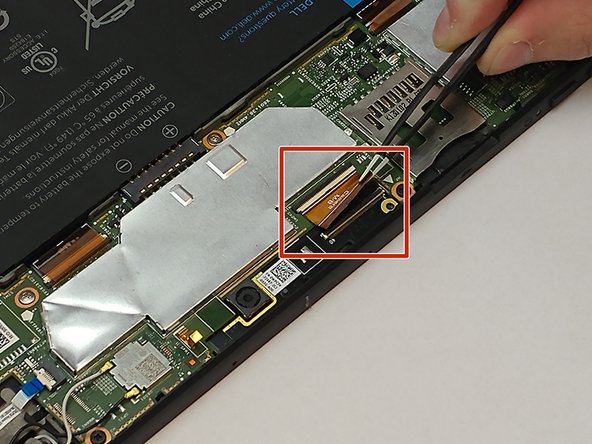
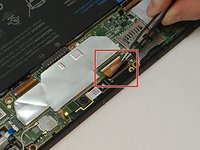
    • Use an opening tool to release the black clamp. With the tweezers gently lift and disconnect the motherboad from the camera.

    Ask FixBot
  4. Dell Latitude 10-ST2e Front Facing Camera Replacement: step 4, image 1 of 2 Dell Latitude 10-ST2e Front Facing Camera Replacement: step 4, image 2 of 2
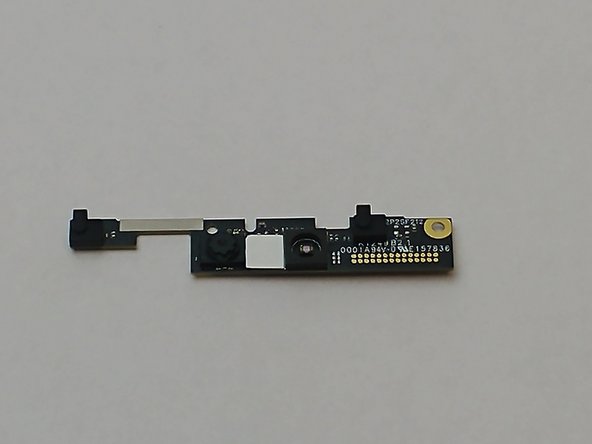
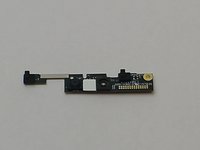
    • Gently lift up the camera using the plastic opening tool and remove it from the tablet.

    Ask FixBot
Conclusion

To reassemble your device, follow these instructions in reverse order.

Khawja

Member since: 09/25/17

258 Reputation

2 Guides authored

Team

USF Tampa, Team S16-G4, Eyestone Fall 2017 Member of USF Tampa, Team S16-G4, Eyestone Fall 2017

USFT-EYESTONE-F17S16G4

4 Members

13 Guides authored

0 Guide Comments

Add Comment

View Statistics:

Past 24 Hours: 0

Past 7 Days: 5

Past 30 Days: 30

All Time: 392