Free Shipping on Domestic Orders $75+

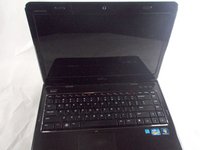
Dell Inspiron N4110 Screen Replacement

What you need

  1. Dell Inspiron N4110 Screen Replacement, Battery: step 1, image 1 of 1
    • Make sure the laptop is off and unplugged before starting this step.

    • Locate the battery on the underside of the laptop.

    • Push the two battery clips following the direction of the arrows.

    Ask FixBot

    Add Comment

  2. Dell Inspiron N4110 Screen Replacement: step 2, image 1 of 1
    • Push upward from the base of the battery.

    Ask FixBot

    Add Comment

  3. Dell Inspiron N4110 Screen Replacement: step 3, image 1 of 1
    • Pull battery away from computer until it is fully removed.

    Ask FixBot

    Add Comment

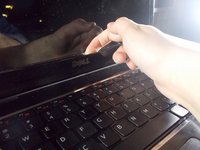
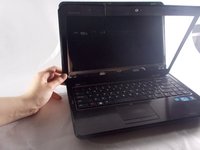
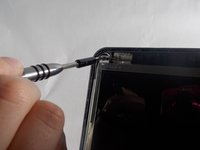
  4. Dell Inspiron N4110 Screen Replacement, Screen: step 4, image 1 of 3 Dell Inspiron N4110 Screen Replacement, Screen: step 4, image 2 of 3 Dell Inspiron N4110 Screen Replacement, Screen: step 4, image 3 of 3
    • Use your hands to remove the plastic cover from around the screen.

    • This can seem difficult, but it can be done.

    Ask FixBot

    Add Comment

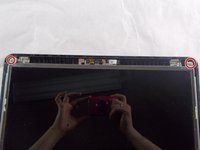
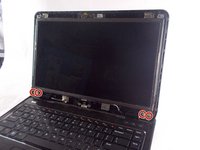
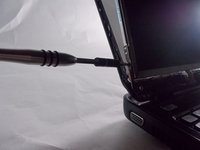
  5. Dell Inspiron N4110 Screen Replacement: step 5, image 1 of 2 Dell Inspiron N4110 Screen Replacement: step 5, image 2 of 2
    • Unscrew the two 2.5x4 mm screws from the top of the screen.

    Ask FixBot

    Add Comment

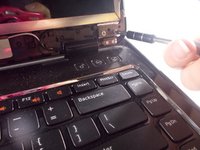
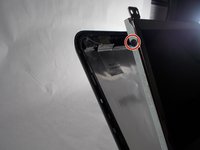
  6. Dell Inspiron N4110 Screen Replacement: step 6, image 1 of 2 Dell Inspiron N4110 Screen Replacement: step 6, image 2 of 2
    • Loosen the four 2.5x4 mm screws from the base of the screen.

    • This will allow the screen to lift from inside the top of the case.

    Ask FixBot

    Add Comment

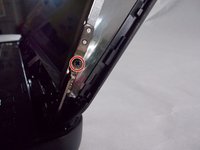
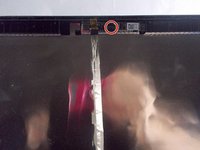
  7. Dell Inspiron N4110 Screen Replacement: step 7, image 1 of 3 Dell Inspiron N4110 Screen Replacement: step 7, image 2 of 3 Dell Inspiron N4110 Screen Replacement: step 7, image 3 of 3
    • Unscrew the four 2x3 mm screws from the two sides on both the top and bottom.

    Ask FixBot

    Add Comment

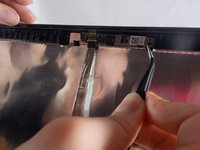
  8. Dell Inspiron N4110 Screen Replacement: step 8, image 1 of 2 Dell Inspiron N4110 Screen Replacement: step 8, image 2 of 2
    Tool used on this step:
    Tweezers
    $4.99
    Buy
    • Use tweezers to peel the webcam away from the top of the laptop.

    • The webcam is only held in place by a webcam, this is easy to pull away from the screen.

    Ask FixBot

    Add Comment

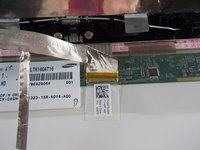
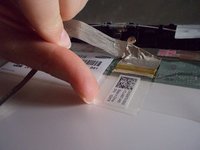
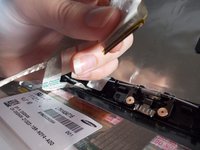
  9. Dell Inspiron N4110 Screen Replacement: step 9, image 1 of 3 Dell Inspiron N4110 Screen Replacement: step 9, image 2 of 3 Dell Inspiron N4110 Screen Replacement: step 9, image 3 of 3
    • Lift the adhesive flap from the cord that connects the computer to the screen.

    • You can then disconnect the cord from the screen.

    Ask FixBot

    Add Comment

  10. Dell Inspiron N4110 Screen Replacement: step 10, image 1 of 1
    • The screen can now be fully removed from the computer.

    Ask FixBot

    Add Comment

Conclusion

To reassemble your device, follow these instructions in reverse order.

Cancel: I did not complete this guide.

One other person completed this guide.

Abigail Keith

Member since: 03/20/18

559 Reputation

2 Guides authored

Team

0 Guide Comments

Add Comment

View Statistics:

Past 24 Hours: 0

Past 7 Days: 8

Past 30 Days: 31

All Time: 1,681