
Dell Inspiron E1705 Lower Case Replacement

Malik Shahbal and 11 other contributors
Last updated on Jun 29, 2026
Views: 3.8K
View statistics:
- Past 24 Hours:
- 2
- Past 7 Days:
- 21
- Past 30 Days:
- 98
- All Time:
- 3,795
Comments: 4
4 comments on steps.
Completed: 2 3
2 people have marked this guide "completed." Will you be next?
3 people have marked this guide "completed." Including you — great job!
Favorites: 5 6
5 people have favorited (and subscribed to) this guide. Will you be next?
6 people have favorited (and subscribed to) this guide — including you!
Missing Steps
Oops! This guide is currently missing one or more important steps.
Missing Details
Some of this guide's details are missing. Help users by adding tools, difficulty, or time.
Introduction
Go to step 1 ↓This guide will be very important for other guides, as it gives you access to the inner parts of your computer.
What you need
Tools


-
-
-
-
Remove the 12 Phillips #1 screws from the edges of the lower case.
-
You may also need to remove the central screw next to the lock icon.
-
-
-
Turn the computer back over and tilt the screen open.
-
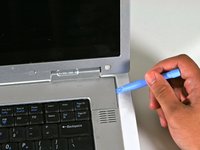
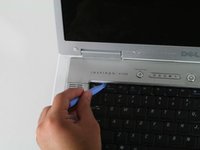
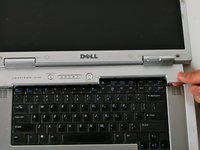
Use the plastic opening tool to carefully pry the panel out as shown in the pictures
-
-
-
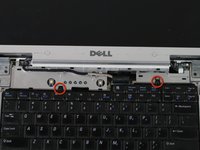
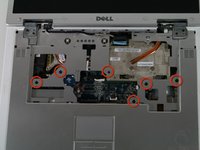
Use the small Phillips head screwdriver to remove the screws circled in red.
-
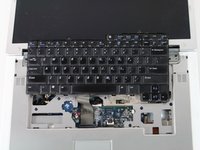
Gently lift the keyboard up and rest it just below the screen as shown in the picture.
-
The keyboard will still be connected to the motherboard.
-
-
-
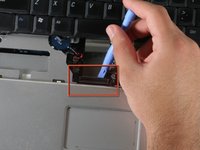
Before removing the keyboard completely, use the plastic opening tool to gently lift the clamp connecting the keyboard to the motherboard.
-
Once the keyboard has been disconnected, remove the keyboard completely.
-
-
-
-
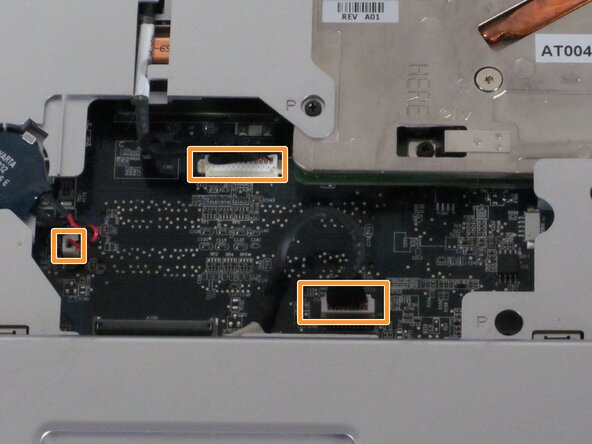
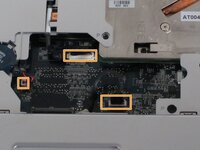
Using a Phillips head screwdriver, remove the screws shown in the image. They all have the letter "P" next to them.
-
Carefully unplug the connections shown.
-
Also, the wireless cables on the right side may prevent moving the upper case out of the way.
-
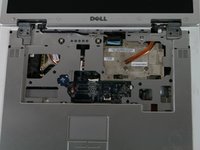
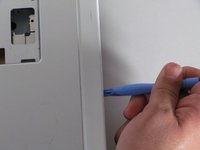
Once the screws have been removed and the connections unplugged, use the plastic opening tool to gently separate the panel from the lower case.
-
-
-
Remove the plastic case by gently bending back towards the screen. You can bend the screen all the way back if that helps.
-
-

 Ask FixBot










To reassemble your device, follow these instructions in reverse order.
Cancel: I did not complete this guide.
2 other people completed this guide.

Team

Cal Poly, Team 22-5, Maness Fall 2010 Member of Cal Poly, Team 22-5, Maness Fall 2010
CPSU-MANESS-F10S22G5
4 Members
108 Guides authored
