Introduction
Guide to replace or upgrade the video card in your Dell Inspiron 9300
What you need
-
-
-
Remove the battery prior to working on any internal components.
-
Remove the twelve 6mm Phillips screws from the bottom of the case.
 Ask FixBot
-
-
-
Gently pry away the silver bezel above the keyboard and below the display using a spudger.
-
-
-
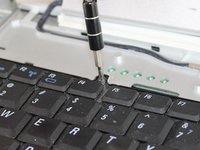
Remove the two 5mm Phillips screws retaining the keyboard.
-
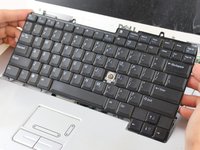
Pull the keyboard up and toward the monitor to reveal the ribbon cable beneath.
-
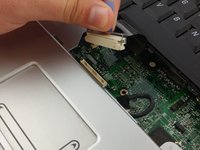
Firmly grasp the blue tape attached to the keyboard ribbon cable connector and pull upward away from the motherboard.
-
-
-
-
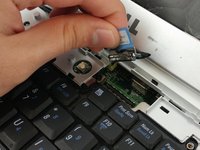
Firmly grasp the blue tape attached to the LCD display ribbon cable connector and pull upward away from the motherboard.
-
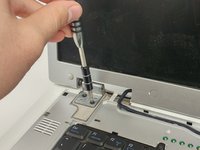
Remove the two 5mm Phillips screws holding the display hinge on both sides of the laptop.
-
-
-
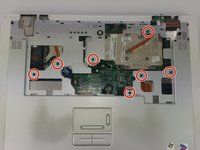
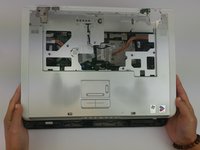
Remove the seven 6mm Phillips screws holding the trackpad/palm rest to the motherboard.
-
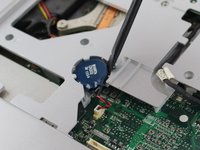
Gently pry the CMOS battery out of its retaining clip using a spudger.
-
-
-
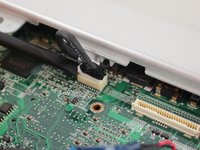
Remove the low profile connector for the keyboard status lights located next to the video card heat sink using a spudger.
-
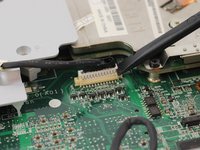
Remove the trackpad ribbon cable from the motherboard using a spudger.
-
-
-
-
-
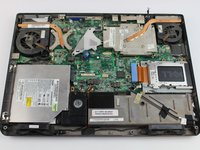
Loosen the four 5mm Phillips screws holding the video card and heatsink in place
-
-












To reassemble your device, follow these instructions in reverse order.
Cancel: I did not complete this guide.
One other person completed this guide.

Team

USF Tampa, Team 16-6, Eyestone Fall 2016 Member of USF Tampa, Team 16-6, Eyestone Fall 2016
USFT-EYESTONE-F16S16G6
5 Members
132 Guides authored
1 Guide Comment
This works only up to the point of pull up and away on the trackpad. The trackpad won't pull up.
