
Dell Inspiron 8600 CD-Rom Drive Replacement

Brian Murphy and 6 other contributors
Last updated on Jul 31, 2026
Views: 4K
View statistics:
- Past 24 Hours:
- 1
- Past 7 Days:
- 24
- Past 30 Days:
- 92
- All Time:
- 4,007
Comments: 1
1 guide comment.
Go to guide commentsCompleted: 2 3
2 people have marked this guide "completed." Will you be next?
3 people have marked this guide "completed." Including you — great job!
Favorites: 2 3
2 people have favorited (and subscribed to) this guide. Will you be next?
3 people have favorited (and subscribed to) this guide — including you!
Action Shots
Be an action hero! This guide needs images that better demonstrate how to perform specific actions.
Needs More Images
A few more images would make this guide's procedures crystal clear.
Introduction
Go to step 1 ↓This guide will show you how to remove the CD-Rom Drive and replace it with a properly functioning one.
What you need
Tools

-
-
-
-
-
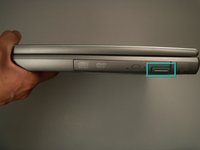
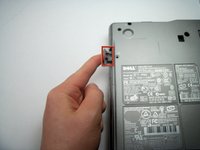
Push the button on the lower right hand side of the CD-Rom drive component.
-
The button should pop out.
-
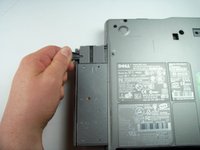
Then pull out the CD-Rom Drive from there.
-

 Ask FixBot


To reassemble your device, follow these instructions in reverse order.
Cancel: I did not complete this guide.
2 other people completed this guide.

Team

Cal Poly, Team 18-22, Garner Spring 2011 Member of Cal Poly, Team 18-22, Garner Spring 2011
CPSU-GARNER-S11S18G22
4 Members
180 Guides authored
1 Guide Comment
cuando estoy trabajando la unidad de cd expulsa el disco
