Free Shipping on Domestic Orders $75+

Dell Inspiron 6000 Keyboard Replacement

What you need

  1. Dell Inspiron 6000 Keyboard Replacement, Battery: step 1, image 1 of 1
    • To prevent injury, make sure the laptop is unplugged before removing the battery.

    • Flip the laptop over, bottom-side up.

    Ask FixBot

    Add Comment

  2. Dell Inspiron 6000 Keyboard Replacement: step 2, image 1 of 1
    • Push the switch next to the battery.

    • At the same time, lift the battery away from the laptop.

    Ask FixBot

    Add Comment

  3. Dell Inspiron 6000 Keyboard Replacement, Keyboard: step 3, image 1 of 3 Dell Inspiron 6000 Keyboard Replacement, Keyboard: step 3, image 2 of 3 Dell Inspiron 6000 Keyboard Replacement, Keyboard: step 3, image 3 of 3
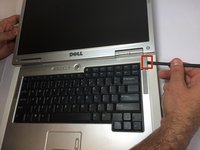
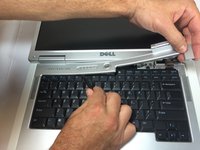
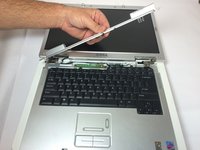
    • Place the laptop on flat surface.

    • Carefully open the laptop at far as it will go so that the back of screen is touching the flat surface.

    • Carefully take a spudger and separate part of the cover at the red circle.

    Ask FixBot

    Add Comment

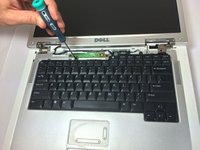
  4. Dell Inspiron 6000 Keyboard Replacement: step 4, image 1 of 2 Dell Inspiron 6000 Keyboard Replacement: step 4, image 2 of 2
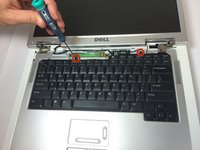
    • Remove two 4 mm Philips #00 screws.

    Ask FixBot

    Add Comment

  5. Dell Inspiron 6000 Keyboard Replacement: step 5, image 1 of 1
    • Gently lift the keyboard away from the laptop without harming the cord that is located at the bottom of the keyboard.

    Ask FixBot

    Add Comment

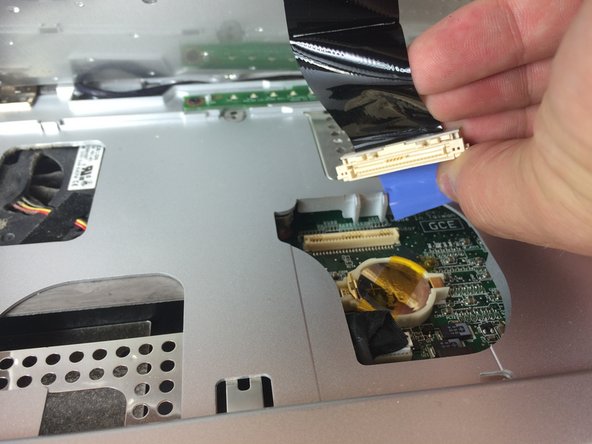
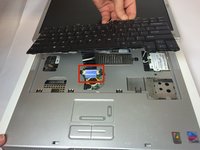
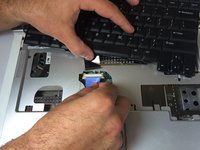
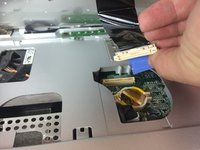
  6. Dell Inspiron 6000 Keyboard Replacement: step 6, image 1 of 3 Dell Inspiron 6000 Keyboard Replacement: step 6, image 2 of 3 Dell Inspiron 6000 Keyboard Replacement: step 6, image 3 of 3
    • Gently pull the blue tab up until it comes away from computer.

    Ask FixBot

    Add Comment

Conclusion

To reassemble your device, follow these instructions in reverse order.

Cancel: I did not complete this guide.

5 other people completed this guide.

Jacob DeWar

Member since: 09/23/14

563 Reputation

3 Guides authored

Team

USF Tampa, Team 11-1, Blackwell Fall 2014 Member of USF Tampa, Team 11-1, Blackwell Fall 2014

USFT-BLACKWELL-F14S11G1

5 Members

7 Guides authored

1 Guide Comment

Hi there, my dell inspiron 6000 does not power up when I switch on. This happened after I remove my keypad to clean.. Any idea why?

John KAPA - Reply Share

Add Comment

View Statistics:

Past 24 Hours: 5

Past 7 Days: 18

Past 30 Days: 45

All Time: 2,590