
Dell Inspiron 3148 Battery Replacement

Christopher Gravelle and 2 other contributors
Last updated on Dec 18, 2018
Views: 759
View statistics:
- Past 24 Hours:
- 1
- Past 7 Days:
- 14
- Past 30 Days:
- 69
- All Time:
- 759
Comments: 1
1 guide comment.
Go to guide commentsCompleted: 2 3
2 people have marked this guide "completed." Will you be next?
3 people have marked this guide "completed." Including you — great job!
Favorites: 1 2
1 person has favorited (and subscribed to) this guide. Will you be next?
2 people have favorited (and subscribed to) this guide — including you!
Action Shots
Be an action hero! This guide needs images that better demonstrate how to perform specific actions.
Introduction
Go to step 1 ↓Is your device experiencing problems with holding a charge or turning on? Consider using this guide to replace the battery in your device.
What you need


-
-
-
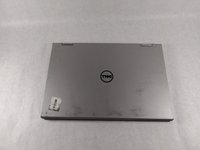
Ensure the device is powered off and unplugged. Close the device and orient it face up, with the hinges further away from you.
-
Flip the device over so the backside is facing you.
 Ask FixBot
-
-
-
Using the plastic opening tool, pull the back panel upward. Move the opening tool along the edge of the device and lift the panel off of your device.
-
-
-
-
-
-
Remove the three 4mm screws holding battery in place using the Phillips #0 screwdriver.
-
-
-
Once loosened, use your fingers to lift the battery up and out of its housing.
-
-




To reassemble your device, follow these instructions in reverse order.
Cancel: I did not complete this guide.
2 other people completed this guide.

Team

UMass Dartmouth, Team S1-G2, Simcock Fall 2018 Member of UMass Dartmouth, Team S1-G2, Simcock Fall 2018
UMASSD-SIMCOCK-F18S1G2
3 Members
84 Guides authored
1 Guide Comment
Apparently the battery screws on mine all have red thread lock on them, meaning they will not come out and I fear I may end up stripping them if I’m not careful, I got one out, which his how I know they used red thread lock. Blue would have been sufficient
