
Dell Inspiron 1721 Back Cover Replacement

Scott Nadeau and 3 other contributors
Last updated on Dec 31, 2019
Views: 564
View statistics:
- Past 24 Hours:
- 1
- Past 7 Days:
- 10
- Past 30 Days:
- 54
- All Time:
- 564
Comments: 0
No one has left comments on this guide. Will you be first?
Go to guide commentsCompleted: 0 1
No one has marked this guide "completed." Will you be the first?
1 person has marked this guide "completed." It's you — great job!
Favorites: 0 1
No one has favorited (and subscribed to) this guide. Will you be the first?
1 person has favorited (and subscribed to) this guide — and that's you!
Introduction
Go to step 1 ↓If you are experiencing any problems with the device not reading a disk, overheating, or any other issues with an interior part of the Dell Inspiron 1721 this guide can be a helpful starting place for getting access to remove or replace any components.
Before attempting to take the a back cover off make sure that the device is completely turned off.
What you need
Tools
-
Spudger4.9


-
-
-
Slide tabs outward to undo the locks.
-
Grab and pull the battery away from the device to remove.
 Ask FixBot
-
-
-
-
-
Pry up on the corner of the hinge cover with an iFixit opening tool.
-
Use the iFixit opening tool along both sides and the front of the hinge cover to release it.
-
Lean the display back as far as it goes and lift up on the hinge cover to remove.
-
-
-
-
-
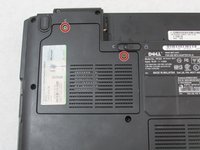
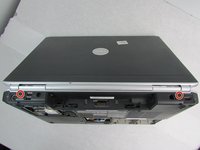
Loosen the two captive Phillips #0 screws.
-
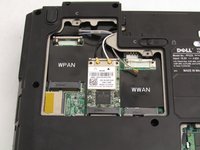
Remove the cover.
-
-
-
-
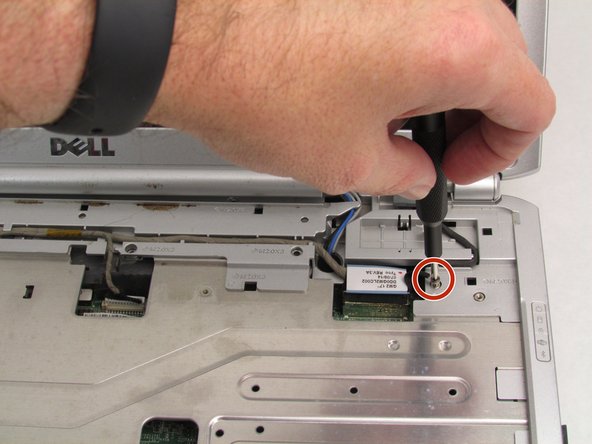
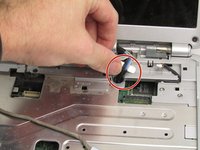
Remove the 3mm Phillips #0 screw securing the connector to the case ground.
-
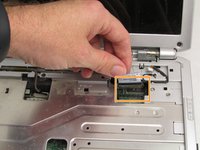
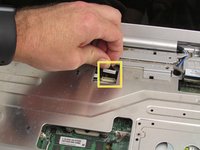
Disconnect the display connector.
-
Disconnect the second connector, then remove the cable from the base.
-
-
-
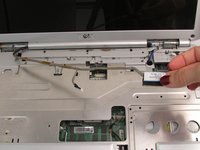
Remove the display cable from the palm rest.
-
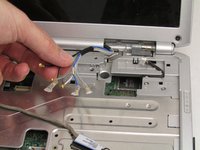
Use a spudger to carefully pull the antenna wires through to front of the device.
-
-
-
Remove the two 3.5 mm Phillips screws that hold the display assembly in place.
-
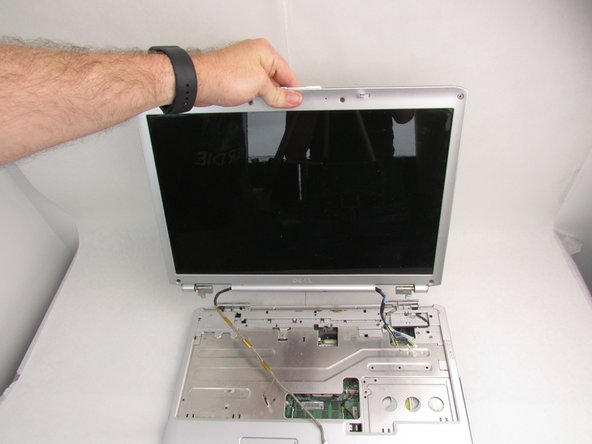
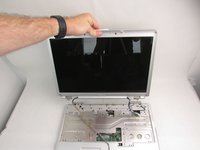
Lift the assembly straight up to separate it from the body of the device.
-
-
-
-
-
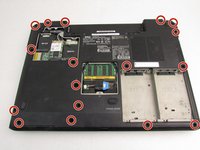
Lay the device flat and remove the 17 7mm Phillips #0 screws.
-
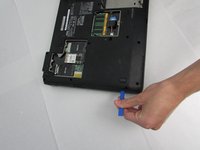
Use an iFixit opening tool to separate the back cover.
-
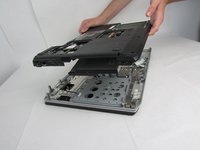
Remove the back cover.
-










To reassemble your device, follow these instructions in reverse order.

Team

Embry-Riddle Aeronautical University, Team S8-G5, Salas Fall 2019 Member of Embry-Riddle Aeronautical University, Team S8-G5, Salas Fall 2019
ERAU-SALAS-F19S8G5
4 Members
108 Guides authored
