Introduction
This guide will show how to access and replace RAM in this laptop. A couple of screws need to be removed but it is otherwise very simple.
What you need
-
-
-
Flip the laptop upside down.
-
Remove the two 4.5 mm Phillips #0 screws on the access panel door.
 Ask FixBot
-
-
-
Using the plastic opening tool, loosen the panel access door, starting at the center.
-
Remove the panel.
-
-
-
-
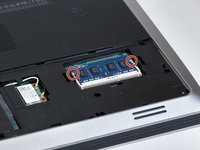
Locate the RAM.
-
Locate the clips securing the RAM.
-
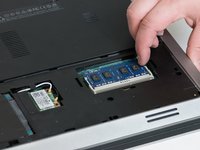
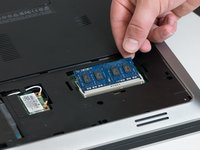
Slide the holding clips outward.
-
-




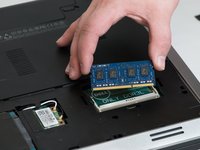
To reassemble your device, follow these instructions in reverse order.
Cancel: I did not complete this guide.
4 other people completed this guide.

Team

Washington State, Team S2-G2, Lobnitz Spring 2018 Member of Washington State, Team S2-G2, Lobnitz Spring 2018
WSU-LOBNITZ-S18S2G2
6 Members
48 Guides authored
