Introduction
There are many parts that can go bad within a display. This guide does not necessarily cover the replacement of all the smaller pieces, but it does allow you to access those parts.
What you need
-
-
-
Slide the release latch while simultaneously pulling backwards on the battery.
-
-
-
-
After removing the battery, remove the two screws (3mm Phillips #1) beneath it. These screws hold the Center Control Cover in place.
-
-
-
-
Pry the Center Control Cover from the laptop. On the right there is a small divot, it is advised that you start removing the panel from here.
-
Carefully lift the Center Control Cover away from the laptop.
-
-
-
-
-
Slide the keyboard out and away from the laptop and lift it up to access the keyboard connector.
-
-
-
Lift the connector latch that secures the keyboard cable to the connector on the motherboard and remove the cable.
-
-
-
-
Remove black and white wires from the WLAN that lead to the display by pulling straight up.
-
Unwind the wires so they can be freely pulled through in the next step.
-
-
-
Turn the laptop over to its standard position.
-
Disconnect the Wed cable and Camera1 cable from the respective Motherboard connectors as marked. Unsecure the wires so they are loose.
-
Pull the black and white wires previously connected to the WLAN through the hole.
-
-
-
Remove the Camera1 cable, the Wed cable, and the black and white wires from the routing guides.
-
Remove the four screws (5mm Phillips #1) (two on either side) that secure the display assembly.
-

 Ask FixBot


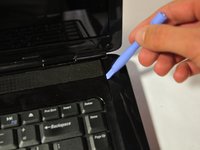
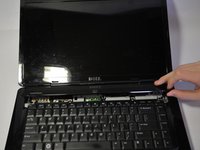
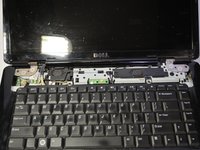


To reassemble your device, follow these instructions in reverse order.
Cancel: I did not complete this guide.
11 other people completed this guide.

Team

Cal Poly, Team 9-14, Regan Spring 2014 Member of Cal Poly, Team 9-14, Regan Spring 2014
CPSU-REGAN-S14S9G14
4 Members
180 Guides authored
3 Guide Comments
wow that is really good
