Introduction
This guide will show you how to remove the memory from your device.
What you need
-
-
-
Place the laptop facedown with the battery facing you.
-
Push the switch above the battery to the right and hold it in that position.
-
Lift the battery using the grip on the top and remove it from its socket.
 Ask FixBot
-
-
-
-
-
-
Loosen the two JIS #1 8mm screws on the cover.
-
Lift and remove the cover.
-
-
-
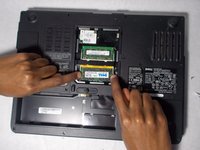
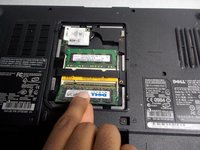
Pull the two metal clips holding down the card apart.
-
Lift and pull out the card.
-
-


Conclusion
To reassemble your device, follow these instructions in reverse order.

Team

UMass Dartmouth, Team S2-G4, Simcock Spring 2018 Member of UMass Dartmouth, Team S2-G4, Simcock Spring 2018
UMASSD-SIMCOCK-S18S2G4
4 Members
84 Guides authored
