Introduction
This guide will demonstrate how to replace the keyboard for the Dell Inspiron 15-7559. This may be necessary if you are unable to use the keyboard.
What you need
-
-
-
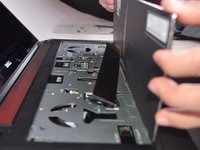
Using the flat end of the spudger press in the 5 tabs, located on top of the keyboard, as you use the spudger to pry each section up.
-
After releasing the 5 tabs, slide the opening tool around the top and sides of the keyboard to make sure it is fully released.
 Ask FixBot
-
-
-
-
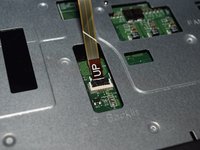
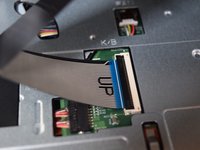
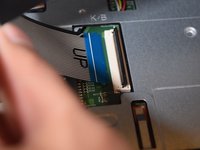
For the two ribbon cables connecting the keyboard to the laptop, use your finger to lift the latch up.
-
Once the latch is raised, lift the ribbon cable up and out of the latch.
-
-
-
Now that the keyboard has been fully disconnected from the laptop, lift it off of the device.
-
-





To reassemble your device, follow these instructions in reverse order.
Cancel: I did not complete this guide.
11 other people completed this guide.

Team

UW Tacoma, Team S3-G2, Liner Fall 2017 Member of UW Tacoma, Team S3-G2, Liner Fall 2017
UWT-LINER-F17S3G2
5 Members
84 Guides authored
2 Guide Comments
How to put it back
Do the steps in reverse order, like it says at the end of the tutorial
