Introduction
This guide shows how to replace your Dell Inspiron 15-7547's battery.
What you need
-
-
-
Close the display and flip the laptop on its back.
-
Loosen the ten 5.0 mm-long Phillips #0 screws.
-
The four screws marked with orange will remain captive to the cover.
 Ask FixBot
-
-
-
-
-
-
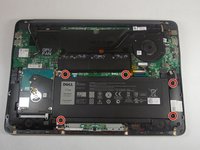
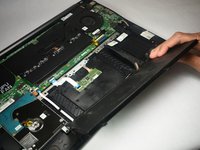
Remove the five 5.0 mm-long Philips #0 screws that connect the battery to the case.
-
-
-
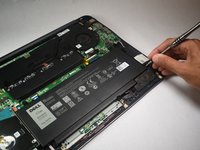
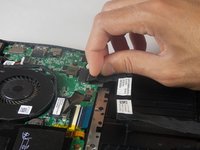
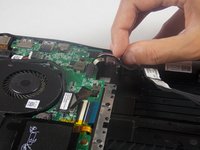
Pull the battery cable's pull tab towards the battery to disconnect it from the motherboard.
-
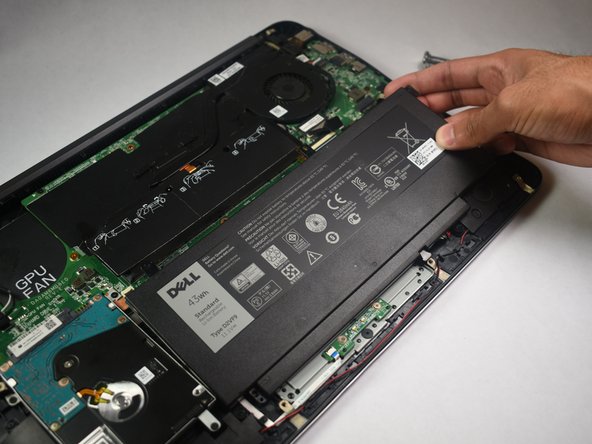
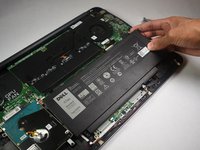
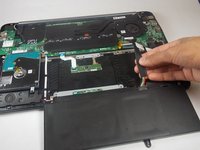
Remove the battery.
-
-





To reassemble your device, follow these instructions in reverse order.
For optimal performance, after completing this guide, calibrate your newly installed battery.
Take your e-waste to an R2 or e-Stewards certified recycler.
Repair didn’t go as planned? Try some basic troubleshooting, or ask our Answers community for help.
Cancel: I did not complete this guide.
One other person completed this guide.

Team

Appalachian State University, Team S2-G4, Menagarishvili Fall 2018 Member of Appalachian State University, Team S2-G4, Menagarishvili Fall 2018
APSU-MENAGARISHVILI-F18S2G4
3 Members
120 Guides authored
