Free Shipping on Domestic Orders $75+

Dell Inspiron 15-7537 RAM Replacement

What you need

    1. Dell Inspiron 15-7537 RAM Replacement, Bottom Case: step 1, image 1 of 1
      • Make sure the display is closed. Then, flip the computer over so that you can see the bottom cover.

      • Loosen the two 5 mm Phillips #0 on the upper edge of the cover.

      • These screws will stay captive to the case.

      Ask FixBot

      Add Comment

    2. Dell Inspiron 15-7537 RAM Replacement: step 2, image 1 of 1
      • Remove the two 5 mm interior screws that connect the cover to the assembly using the same Philips head screwdriver from the previous step.

      Ask FixBot

      Add Comment

    3. Dell Inspiron 15-7537 RAM Replacement: step 3, image 1 of 1
      • Use a spudger to remove the base cover from the rest of bottom cover.

      Ask FixBot

      Add Comment

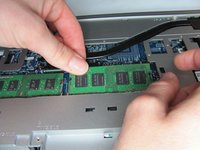
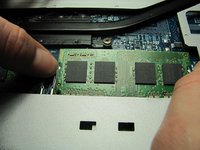
    1. Dell Inspiron 15-7537 RAM Replacement, RAM: step 4, image 1 of 2 Dell Inspiron 15-7537 RAM Replacement, RAM: step 4, image 2 of 2
      • Gently pull apart clips on the ends of the memory module until the memory module pops up.

      Ask FixBot

      Add Comment

    2. Dell Inspiron 15-7537 RAM Replacement: step 5, image 1 of 1
      • Pull the RAM out at a 45 degree angle.

      Ask FixBot

      Add Comment

Conclusion

To reassemble your device, follow these instructions in reverse order.

Cancel: I did not complete this guide.

2 other people completed this guide.

Jean Whitmore

Member since: 01/22/15

984 Reputation

7 Guides authored

Team

Cal Poly, Team 18-2, Maness Winter 2015 Member of Cal Poly, Team 18-2, Maness Winter 2015

CPSU-MANESS-W15S18G2

4 Members

96 Guides authored

0 Guide Comments

Add Comment

View Statistics:

Past 24 Hours: 1

Past 7 Days: 6

Past 30 Days: 35

All Time: 2,847