Introduction
The wireless card is the component responsible for the Wi-Fi connections. If the laptop is experiencing trouble connecting to Wi-Fi networks, it’s most likely that the password is wrong or maybe you’re not authorized to access the Wi-Fi network. If that’s not the case, then it’s probable that the card is not functioning properly, and it can be replaced for the Dell Inspiron 15-5567 using this guide. For more troubleshooting information, please take a look at the troubleshooting page first before replacing the wireless card. You’ll need a Phillips #0 screwdriver, and the blue plastic opening tool. Even though the wireless card replacement is easy, note that the transparent bracket that you’ll take out is relatively easy to lose. It’s an important component of the wireless card, so keep everything organized, and know where everything is.
What you need
-
-
-
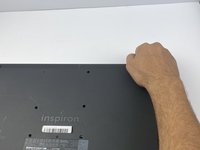
Orient the laptop with the back cover facing upward and the INSPIRON engraving reads legible (not flipped).
-
Remove 13 M2.5x8mm screws using a Philips #0 screwdriver.
-
Remove two M2x4mm screws using the same screwdriver.
 Ask FixBot
-
-
-
Insert the blue plastic opening tool into the crease of the CD driver, and pop it open.
-
Slide the rest of it out with your hand.
-
-
-
-
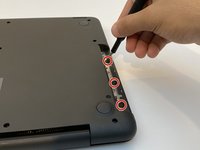
Remove three M2x2mm screws underneath the CD driver with the same Philips #0 screwdriver.
-
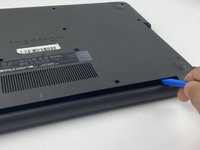
Place the blue plastic opening tool in the crease of the cover and push it upward to open the back cover.
-
Grab the corners of the cover firmly and lift it up.
-
-
-
-
-
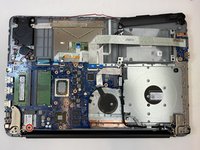
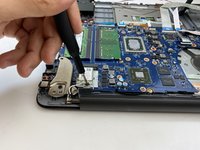
Remove one M2x3mm screw from the bracket holding the card using a Phillips #0 screwdriver.
-
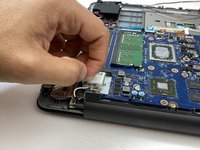
Lift and remove the bracket with your hand.
-
-
-
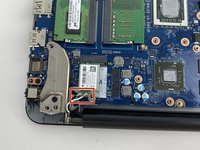
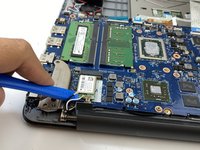
Disconnect the antennae cables connected to the card using the opening tool.
-
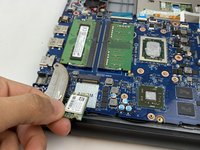
Slide the wireless card off of its socket and lift it with your hand and remove it.
-
-






To reassemble your device, follow these instructions in reverse order.
Cancel: I did not complete this guide.
One other person completed this guide.

Team

Embry-Riddle Aeronautical University, Team S16-G1, Branham Spring 2020 Member of Embry-Riddle Aeronautical University, Team S16-G1, Branham Spring 2020
ERAU-BRANHAM-S20S16G1
3 Members
71 Guides authored
