Introduction
This guide is for removing or replacing the RAM component of a Dell Inspiron 15-5547. The RAM (random-access memory) component of a computer is responsible for a computer’s short term memory where data is stored as the processor needs it. RAM components might need to be removed and replaced in order to increase a computer’s short-term memory storage capacity and speed. Be careful with the RAM components as they are fragile. Handle them with care.
What you need
-
-
-
Remove the two M2.5 x 5mm screws on the bottom of the laptop with the Phillips #0 screwdriver as shown.
 Ask FixBot
-
-
-
Use the Jimmy to pry off the back cover of the laptop.
-
Carefully lift and remove the back cover of the laptop.
-
-
-
-
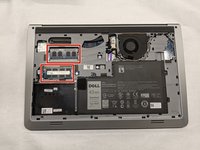
The RAM components of the laptop can be found in the following locations.
-
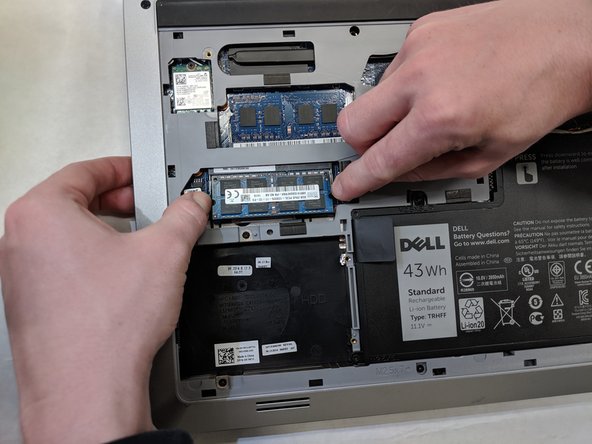
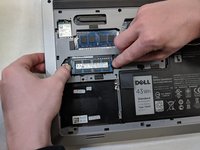
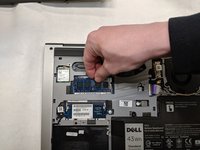
Pull the two side brackets of the bottom RAM component horizontally. This will free the component.
-
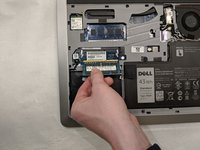
Lift and remove the RAM component from its location.
-
-





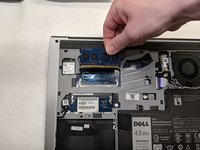
To reassemble your device, follow these instructions in reverse order.
Cancel: I did not complete this guide.
2 other people completed this guide.

Team

IUPUI, Team S1-G3, Harley Summer 2019 Member of IUPUI, Team S1-G3, Harley Summer 2019
IUPUI-HARLEY-SU19S1G3
3 Members
24 Guides authored
