
Dell Inspiron 15 7579 Display Replacement

Andrew Steven McNay and 2 other contributors
Last updated on Dec 30, 2021
Views: 1.9K
View statistics:
- Past 24 Hours:
- 1
- Past 7 Days:
- 18
- Past 30 Days:
- 90
- All Time:
- 1,904
Comments: 0
No one has left comments on this guide. Will you be first?
Go to guide commentsCompleted: 0 1
No one has marked this guide "completed." Will you be the first?
1 person has marked this guide "completed." It's you — great job!
Favorites: 0 1
No one has favorited (and subscribed to) this guide. Will you be the first?
1 person has favorited (and subscribed to) this guide — and that's you!
Step Trimmer
This guide has unnecessary steps. Trim them to be more concise!
Introduction
Go to step 1 ↓If your Dell Inspiron 15 7579 is having issues with the display such as flickering, monitor ghosting, or any other issue concerning the display of the laptop, this guide will walk you through step by step to help fix your laptop. This guide will require you to remove other parts of the laptop before you can remove the display.
What you need
Tools
-
Spudger4.9
-


-
-
-
Insert metal spudger into a gap in between the back panel and the back of the screen.
-
Pry off the back panel using the metal spudger as a lever, and remove the back panel by lifting the rest off by hand.
-
-
-
-
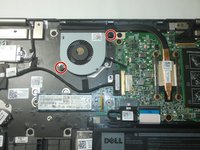
Remove the two 7.9 mm screws from the fan with a Phillips #0 screwdriver.
-
-
-
-
-
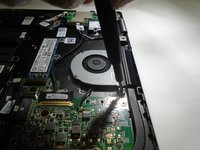
Remove the single 3.6 mm screw holding the left side of the M.2 SSD card with a Phillips PH0 screwdriver.
-
-
-
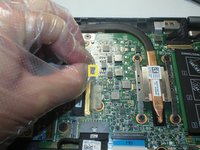
Gently pull out the SSD card at the angle it is relaxed in to remove it. It is easiest to do this by hand.
-
-
-
-
-
-
Lift the motherboard up from the side opposite of the external ports and remove it from the laptop.
-
-
-
-
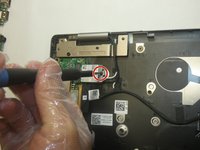
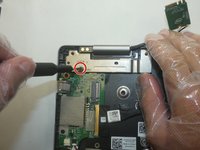
Remove the screw that holds the Wi-Fi card in place with a Phillips #0 screwdriver.
-
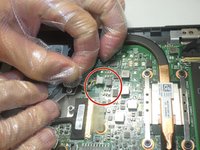
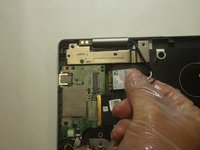
Disconnect the black and white coaxial cables from the Wi-Fi card.
-
Remove the Wi-Fi card from its port.
-
-
-
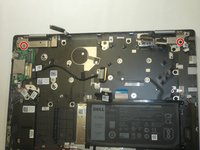
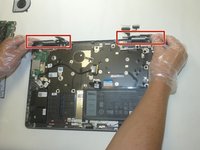
Remove the two screws from the metal plates with the Phillips #0 screwdriver.
-
-
-
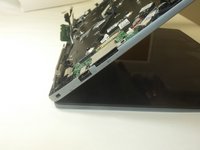
Lift up the two hinges perpendicularly to the board beneath it.
-
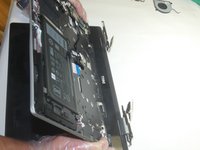
Lift up on the keyboard at an angle from the laptop and gently pull away from hinges.
-
-

 Ask FixBot






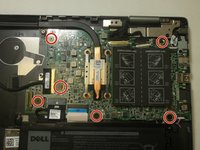
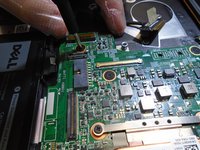


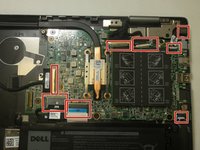
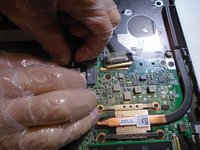






To reassemble your device, follow these instructions in reverse order.

Team

The Citadel Military College of South Carolina, Team 2-11, Eggleston Fall 2021 Member of The Citadel Military College of South Carolina, Team 2-11, Eggleston Fall 2021
CMCSC-EGGLESTON-F21S2G11
3 Members
36 Guides authored
