Free Shipping on Domestic Orders $75+

Dell Inspiron 14-7437 Coin Cell Battery Replacement

What you need

    1. Dell Inspiron 14-7437 Coin Cell Battery Replacement, Base Cover: step 1, image 1 of 2 Dell Inspiron 14-7437 Coin Cell Battery Replacement, Base Cover: step 1, image 2 of 2
      • Power off your Dell Inspiron 14-7437 before disassembling.

      • Remove the eight 4.5 mm screws on the back panel of the device using the Phillips 1 Screwdriver.

      • The two 4.5 mm screws in the center under the rubber mount cannot be removed, but can be loosened.

      Ask FixBot

      Add Comment

    2. Dell Inspiron 14-7437 Coin Cell Battery Replacement: step 2, image 1 of 2 Dell Inspiron 14-7437 Coin Cell Battery Replacement: step 2, image 2 of 2
      • Pry open the back cover using a spudger and slide it along the under the cover.

      Ask FixBot

      Add Comment

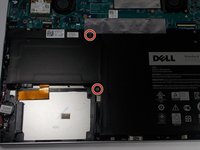
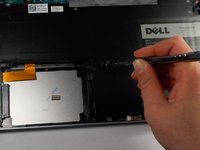
    1. Dell Inspiron 14-7437 Coin Cell Battery Replacement, Battery: step 3, image 1 of 2 Dell Inspiron 14-7437 Coin Cell Battery Replacement, Battery: step 3, image 2 of 2
      • Remove the two 2.5 mm screws holding the battery in place using the J000 Phillips Head Screwdriver.

      Ask FixBot

      Add Comment

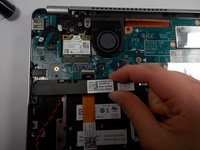
    2. Dell Inspiron 14-7437 Coin Cell Battery Replacement: step 4, image 1 of 1
      • Disconnect the ribbon cables from the motherboard.

      Ask FixBot

      Add Comment

    3. Dell Inspiron 14-7437 Coin Cell Battery Replacement: step 5, image 1 of 1
      • Lift up and remove the Lithium-Polymer Battery.

      Ask FixBot

      Add Comment

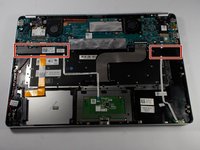
    1. Dell Inspiron 14-7437 Coin Cell Battery Replacement, Speaker: step 6, image 1 of 1
      • Disconnect wires from Motherboard by gently pulling up.

      Ask FixBot

      Add Comment

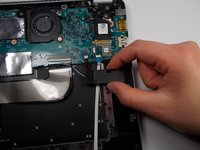
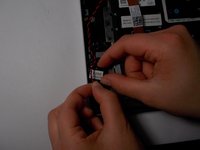
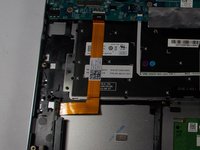
    2. Dell Inspiron 14-7437 Coin Cell Battery Replacement: step 7, image 1 of 3 Dell Inspiron 14-7437 Coin Cell Battery Replacement: step 7, image 2 of 3 Dell Inspiron 14-7437 Coin Cell Battery Replacement: step 7, image 3 of 3
      • Remove the speakers from the case.

      Ask FixBot

      Add Comment

    1. Dell Inspiron 14-7437 Coin Cell Battery Replacement, Coin Cell Battery: step 8, image 1 of 1
      • Lift the coin cell battery wire, and carefully remove from motherboard.

      • There are little hooks that the wire is hooked under.

      Ask FixBot

      Add Comment

    2. Dell Inspiron 14-7437 Coin Cell Battery Replacement: step 9, image 1 of 2 Dell Inspiron 14-7437 Coin Cell Battery Replacement: step 9, image 2 of 2
      • Remove the Coin-Cell Battery from the case.

      • There is a small amount of adhesive on the bottom of the coin cell battery.

      Ask FixBot

      Add Comment

Conclusion

To reassemble your device, follow these instructions in reverse order.

Cancel: I did not complete this guide.

One other person completed this guide.

Katelyn Remy

Member since: 03/10/16

449 Reputation

4 Guides authored

Team

0 Guide Comments

Add Comment

View Statistics:

Past 24 Hours: 0

Past 7 Days: 5

Past 30 Days: 30

All Time: 1,660