Introduction
This guide illustrates the process of replacing the hard drive in a Dell Inspiron 14 5100 laptop. This repair could be necessary in the event that the hard drive fails, but could also be performed should an upgrade be desired. This repair does not require prior experience.
What you need
-
-
-
Remove nine screws securing the base cover of the laptop's keyboard assembly using the Phillips #0 screwdriver.
-
There are 2 sets of screws.
-
Remove the 3 captive screws.
-
Remove the 6M2*6 screws.
 Ask FixBot
-
-
-
Pry open the laptop to separate the base cover from the keyboard assembly.
-
You may use your fingertips or use plastic opening tools.
-
-
-
-
-
-
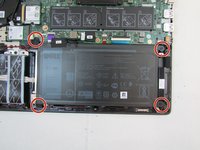
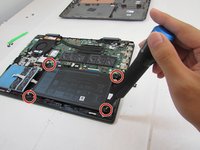
Remove the four Phillips #0 screws securing the battery to the keyboard assembly.
-
-
-
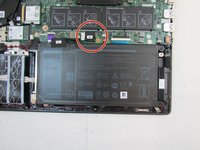
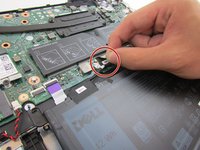
Peel off the tape securing the battery cable to the battery cable connector.
-
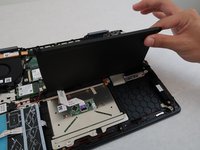
Disconnect and remove the old battery.
-
-
-
-
-
Unplug the connectors from the hard drive and slide it out of its slot.
-
-





To reassemble your device, follow these instructions in reverse order.
Cancel: I did not complete this guide.
2 other people completed this guide.

Team

The Citadel Military College of South Carolina, Team 2-15, Eggleston Fall 2021 Member of The Citadel Military College of South Carolina, Team 2-15, Eggleston Fall 2021
CMCSC-EGGLESTON-F21S2G15
3 Members
36 Guides authored
