Free Shipping on Domestic Orders $75+

Dell Inspiron 13z N301z Display Assembly Replacement

What you need

    1. Dell Inspiron 13z N301z Display Assembly Replacement, Disconnecting the Antenna Cables: step 1, image 1 of 1
      • Follow the instructions in Before You Begin.

      • Turn the computer over.

      • Disconnect the Mini-Card antenna cables from the computer base.

      Ask FixBot

      Add Comment

    2. Dell Inspiron 13z N301z Display Assembly Replacement, Opening the Display: step 2, image 1 of 1
      • Turn the computer over and open the display as far as possible.

      Ask FixBot

      Add Comment

    3. Dell Inspiron 13z N301z Display Assembly Replacement, Disconnecting the Display Cable: step 3, image 1 of 1
      • Disconnect the display cable and the camera cable from their connectors on the system board.

      Ask FixBot

      Add Comment

    4. Dell Inspiron 13z N301z Display Assembly Replacement, Removing the Cables: step 4, image 1 of 1
      • Make a note of the routing of the Mini-Card antenna cables and remove the cables from the routing guides.

      Ask FixBot

      Add Comment

    5. Dell Inspiron 13z N301z Display Assembly Replacement, Remove the Screws: step 5, image 1 of 1
      • Remove the six screws (three on each side) that secure the display assembly to the computer base.

      Ask FixBot

      Add Comment

    6. Dell Inspiron 13z N301z Display Assembly Replacement, Removing the Display Assembly: step 6, image 1 of 1
      • Lift and remove the display assembly off the computer base.

      Ask FixBot

      Add Comment

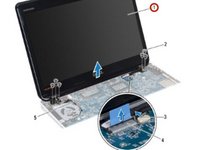
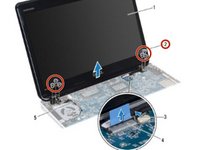
    7. Dell Inspiron 13z N301z Display Assembly Replacement, Placing the Display Assembly: step 7, image 1 of 2 Dell Inspiron 13z N301z Display Assembly Replacement, Placing the Display Assembly: step 7, image 2 of 2
      • Place the NEW display assembly in position and replace the six screws (three on each side) that secure the display assembly to the computer base.

      Ask FixBot

      Add Comment

    8. Dell Inspiron 13z N301z Display Assembly Replacement, Routing the Antenna Cables: step 8, image 1 of 1
      • Route the Mini-Card antenna cables through the slot on the computer base.

      Ask FixBot

      Add Comment

    9. Dell Inspiron 13z N301z Display Assembly Replacement, Connecting the Cables: step 9, image 1 of 1
      • Connect the display cable and the camera cable to their connectors on the system board.

      Ask FixBot

      Add Comment

Finish Line

Cancel: I did not complete this guide.

Terrence15

Member since: 12/18/17

80,125 Reputation

441 Guides authored

Team

RampUP America, Inc. Member of RampUP America, Inc.

Community

45 Members

12,227 Guides authored

0 Guide Comments

Add Comment

View Statistics:

Past 24 Hours: 1

Past 7 Days: 4

Past 30 Days: 20

All Time: 370