Introduction
This guide would be useful for replacing faulty or broken fan for your Dell Inspiron 13-7347. Make sure the fan that you are replacing is specifically for Dell Inspiron 13-7347. Its very important to find the correct fan for your Dell Inspiron 13-7347 in order to prevent any troubles. Be sure to use the tools we suggested, and be gentle when you are using the screwdriver. Its very easy to lead to stripped screws if you didn't use the screwdriver correctly or not gentle enough.
Make sure to follow the instructions step by step carefully.
What you need
-
-
-
You should be able to identify the fan.
-
This is the 2mm x 2mm JIS #00 screw.
-
This is the 2mm x 3mm JIS #00 screw.
 Ask FixBot
-
-
-


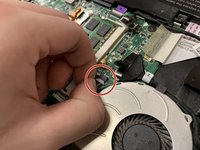
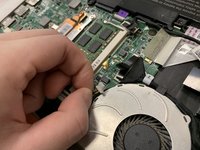


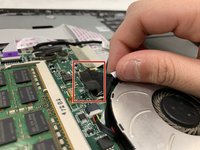
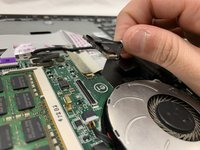

To reassemble your device, follow these instructions in reverse order.

Team

UC Davis, Team S20-G8, Lore Winter 2019 Member of UC Davis, Team S20-G8, Lore Winter 2019
UCD-LORE-W19S20G8
3 Members
48 Guides authored
