Introduction
This guide would be useful for replacing faulty or broken battery for your Dell Inspiron 13-7347. Before you get started, please pay attention to few notes. 1)Make sure the battery that you are replacing is specifically for Dell Inspiron 13-7347. There are rumors that some of the batteries are universal as long as they are within the same company. It would be safe if you can find an exact matched battery from Dell Inspiron 13-7347 in order to prevent any troubles. 2) Be sure to use the tools we suggested, and be gentle when you are using the screwdriver. Its very easy to lead to stripped screws if you didn't use the screwdriver correctly or not gentle enough.
Make sure to follow the instructions step by step carefully.
What you need
-
-
-
Flip the device over, so that the back is facing up.
-
Using a Phillips screwdriver, remove the 10 2.5mm x 8mm screws
-
Use the suction cup to lift off the back case.
 Ask FixBot
-
-
-
-
Unplug the cable that connects the USB / SD Reader IO Board to the motherboard.
-
-


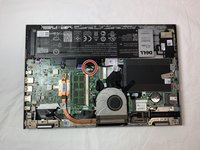
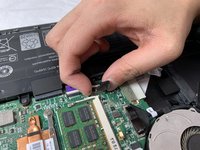
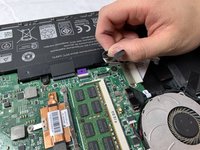


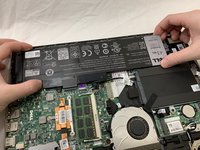
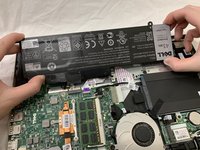
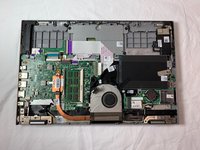
To reassemble your device, follow these instructions in reverse order.

Team

UC Davis, Team S20-G8, Lore Winter 2019 Member of UC Davis, Team S20-G8, Lore Winter 2019
UCD-LORE-W19S20G8
3 Members
48 Guides authored
