Introduction
Need to access the hardware inside of your Dell Inspiron 13 7378 for a hardware fix? Or need to replace the back cover of your laptop due to physical damage? This replacement guide will guide you step by step on how to easily remove the back cover of your computer.
What you need
-
-
-
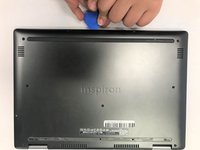
Set the laptop with its underside facing up for improved accessibility.
 Ask FixBot
-
-
-
-
Using a Phillips #00 screwdriver, extract the nine 3 mm screws located on the back of the laptop.
-
-
-
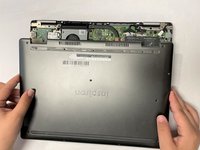
Carefully pry open the back of the back of the laptop using opening picks.
-
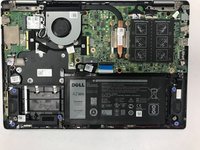
Carefully raise and detach the back cover from the laptop.
-
-


To reassemble your device, follow these instructions in reverse order.
Cancel: I did not complete this guide.
2 other people completed this guide.

Team

Gateway, Team 1-3, Saknee Spring 2022 Member of Gateway, Team 1-3, Saknee Spring 2022
GCC-SAKNEE-S22S1G3
5 Members
71 Guides authored
